


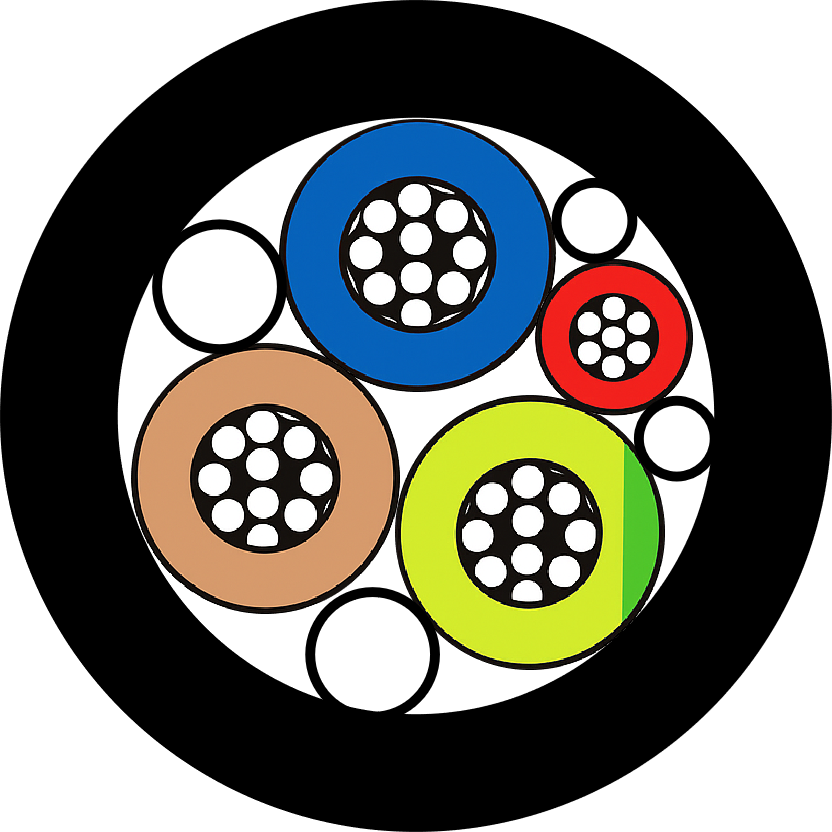





Managing all the cables around your home network can become an overwhelming task, but that need not be so. A well-organized network simply looks clean and is conducive to function, free from signal interference, making troubleshooting relatively easy. Whether it’s a tech enthusiast setting up a smart home, working remotely and upgrading the home office, or simply someone tired of messy, tangled cords, cable management is a necessity. The guide here will provide you with ideas, tools, and proper methods for arranging cables in an orderly manner, along with maintaining a well-organized setup. Let the transformation begin from a knotted mess into a neat and lovely working space that operates just as well.
Understanding Network Cables
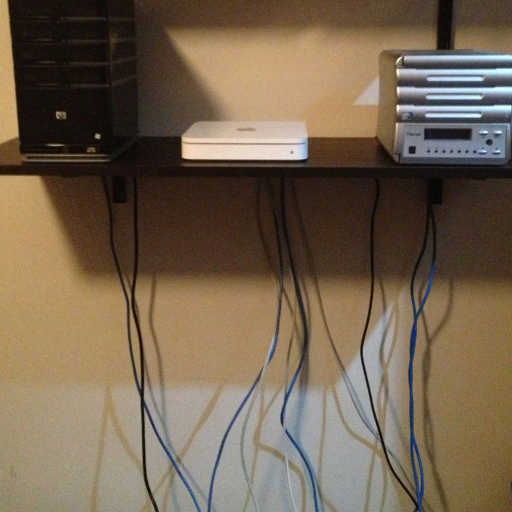
Network cables connect devices and enable data transfer between computers, routers, switches, and other hardware in a wired network. The most common are Ethernet cables, including Cat5e, Cat6, and Cat6a. These numbers denote the speeds and performance levels, with greater numbers implying faster transmission rates and possibly better interference protection. Usually, these cables contain twisted wire pairs, from which their name is derived, that help resist interference from external sources and other cable pairs inside the cables to ensure maximum signal quality. However, choosing the network cable depends on the speeds it supports and the distances it is to be run; thus, correct deployment is paramount in ensuring efficient and reliable connectivity.
Types of Network Cables
Proper home network cable management involves bundling, labeling, securing cables, minimizing interference, and ensuring easy accessibility.
|
Key Point |
Description |
|---|---|
|
Bundling |
Group cables neatly. |
|
Labeling |
Tag for easy ID. |
|
Securing |
Use clips/ties. |
|
Interference |
Keep away from power. |
|
Accessibility |
Allow easy access. |
Choosing the Right Ethernet Cable
Choosing the correct type of Ethernet cable for the network can be a crucial step toward achieving the optimal speed and performance. Ethernet cables are categorized based on their power capabilities, including bandwidth, speed, and shielding.
Cat5e (Category 5e): Cat5e cable is an upgraded version of the older Cat5 cable, supporting speeds of up to 1 Gbps and a bandwidth of 100 MHz. Therefore, it is best suited for general home and small office networks that require a bit of speed and reliability.
Cat6 (Category 6): These provide higher performance, up to 10 Gbps, for shorter distances of up to 55m and a 250 MHz bandwidth. It is widely used in environments where higher data transmission requirements exist, such as for streaming or gaming.
Cat6a (Augmented Category 6): Cat6a cable supports 10 Gbps for distances up to 100 m and a 500 MHz bandwidth, making it a preferred choice for enterprise applications or home networks designed to be future-proof.
Cat7 (Category 7): With a bandwidth capacity of up to 600 MHz and shielded twisted pairs inside the cable, Cat7 offers a greater level of immunity from interference than others. Applying this cable makes sense for professional setups.
Cat8 (Category 8): The newest category of Ethernet cable, Cat8, is designed for ultra-fast data transfer, with speeds reaching a maximum of 25-40 Gbps and an impressive bandwidth of 2 GHz. These cables are mainly exploited in data centers and high-end server environments.
When purchasing an Ethernet cable, consider factors such as bandwidth, the speed of your internet plan, the distance between devices, and protection against interference. Aligning these factors with your requisites will assure your network’s efficiency and reliability.
Common Uses for Network Cables
Networking cables have countless applications in both home and commercial settings. Depending on the types of uses, here are some of the main applications:
Connecting Devices for Internet Access: Ethernet cables are used to provide fast internet access to devices such as computers, routers, and modems. Cat 6 and Cat 6a cables are among the preferred Ethernet cable types in homes and offices, where establishing a stable connection is crucial for activities such as streaming, online gaming, or video conferencing.
Data Centers and Server Farms: With their capacity for handling large-scale data transfers, they are extensively used in data centers equipped with Cat 7 and Cat 8 high-performance Ethernet cables. The cable speeds are rated up to 40 Gbps, with a bandwidth capacity of up to 2 GHz, allowing them to handle high data throughput and minimal latency practically.
Industrial Automation Systems: In an industrial environment, the cables connect machinery and systems to central controllers. Shielded Ethernet cables, such as Cat 6a and Cat 7, are increasingly valuable for environments where EMI from electrical devices interferes with smooth communication.
IP Camera Systems: Ethernet cables are extensively used by even the most modern security systems to power IP cameras and transmit video data. With Power over Ethernet (PoE) technology, deployment becomes simple, as it provides for both power and data transfer through a single cable, reducing the need for additional wiring.
Smart Home Integration: Smart home systems use network cables to connect smart hubs, appliances, and entertainment equipment. This type of wired connection offers significantly better stability and speed than any wireless setup, especially for bandwidth-intensive activities such as 4K streaming or large file transfers.
Education and Research Institutions: University and research institutions rely on network cables for erecting large Local-Area-Networks (LAN). These networks facilitate high-speed data transfers among labs, libraries, and administrative offices, promoting collaboration and access to resources.
With knowledge of its versatile uses, both the ordinary person and organizations working in this sphere can enhance their connectivity solutions for improved performance and reliability.
Importance of Cable Management
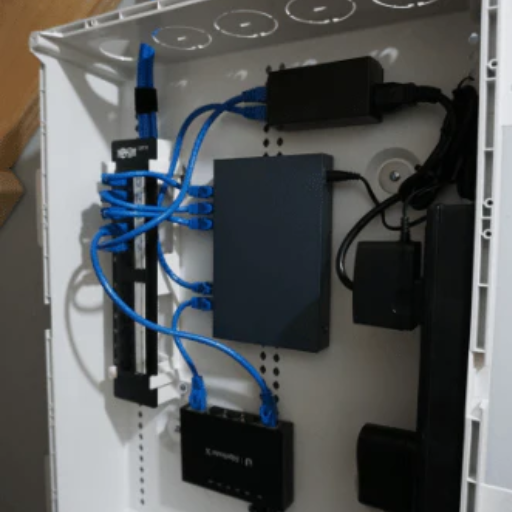
Cable management is an ideal choice to keep the workplace or network functional and efficient. Organized cables present hazards such as tripping and equipment damage, thereby making the environment unsafe. Such cables also enable systems to operate more efficiently through reduced heat generation and decreased electrical interference. The wires, however, should be well-maintained so that existing problems can be resolved quickly. Cable management should, therefore, be placed high on the list for safety, reliability, and ease of use.
Benefits of Proper Network Cable Management
Proper cable management offers numerous benefits, including enhanced safety, improved operations, and increased efficiency. These benefits include addressing trip hazards and cable damage that could result in significant repair costs or downtime. From the standpoint of functionality, cable management benefits network operations by avoiding signal interference and guaranteeing adequate airflow to the equipment, which reduces the chances of overheating; from the standpoint of efficient troubleshooting and upgrades, it saves a great deal of time in case of maintenance or expansion; and finally, it projects an excellent corporate image, which is extremely important in a corporate or client-facing environment. To ensure the smooth operation and longevity of network-related equipment, cable management must be a priority.
Impact on Network Performance
Here is a great illustration: Proper cable management has a significant impact on network performance and can be quantitatively measured. Improperly managed cables lead to signal interference and data packet losses, resulting in slow network speeds and less reliability. When implemented correctly, structured cabling systems have a positive impact on data transmission by minimizing crosstalk and signal degradation. For example, STP cables in well-organized systems significantly help reduce electromagnetic interference (EMI), a common inhibitor of disruption in high-speed networks.
According to recent studies, data centers can increase cooling efficiency by 20% through improved cable management. The combined effects of which lead to lower energy consumption and network uptime downfalls. Thus, by allowing for higher bandwidth requirements, well-managed infrastructure will not hamper application performance in video conferences, cloud environments, and streaming. This establishes a compelling case for the necessity of a well-organized cabling infrastructure to meet the demands of a tech-connected world.
Avoiding Common Cable Management Mistakes
Good cable management is essential; however, common errors can hinder the performance and lifespan of the system. A prevalent issue is improper labeling: cables that are not labeled correctly often become challenging to troubleshoot, and studies show that downtime could be cut in half through proper labeling. Cramming cables is another big issue: packed cables produce heat, which can shorten the life of equipment or even create a fire hazard. Industry standards recommend allowing sufficient air circulation to prevent overheating of the cables.
Another frequent error involves using the incorrect cable types. For example, using Category 5 cables alongside premium Category 6 cables would reduce the overall transfer speed and hence efficiency. Another issue is the improper securing of cables via improper ties or mounts, which can cause tangling and physical strain, eventually wearing down the connection. Experts recommend using Velcro ties over zip ties, as they are adjustable and less likely to damage insulation.
Finally, failure to observe proper provisions for future growth also has an eminent place. Inadequate space left for new cables could be costly and time-consuming during upgrades. If planned well and with modular cable management solutions, future growth can be accommodated with minimal disruption. Addressing these common mistakes will enable businesses to optimize their cable systems in terms of reliability and safety.
Effective Network Cable Management Techniques
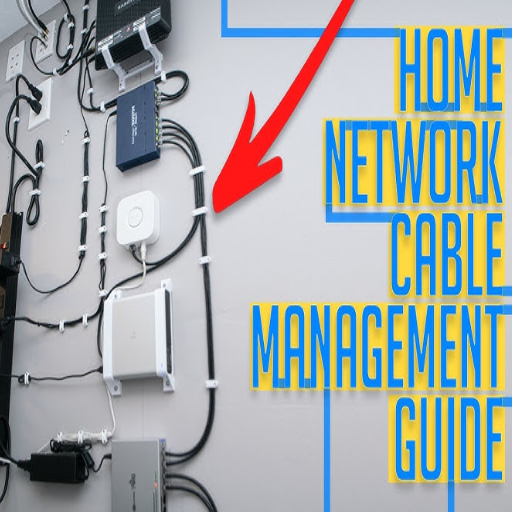
Labeling and Documentation: Clearly label all cables and keep detailed documentation of the network layout. It aids in quickly identifying cables, reducing troubleshooting time, and ensuring an efficient process for upgrades or repairs.
Cable Organization: Use cable trays, racks, or ties to create a neat path for cables and secure them in place. Proper organization prevents tangling and minimizes wear and tear while improving accessibility.
Avoid Crowding: Allow sufficient space between the cables to ensure proper heat dissipation and prevent signal interference. Never stuff too many wires in a confined space; always plan for optional scalability.
Regular Maintenance: Conduct regular inspections of cable systems to identify and address wear, damage, or other issues. With proactive maintenance, you can avoid potential disruptions and extend the lifespan of your network.
By implementing these practices, companies can enhance their cable management processes and mitigate the effects of common contraindications, thereby strengthening system integrity.
Using Cable Ties and Velcro Straps
The cable tie-Velcro strap duo is a must for proper cable management. Conventional cable ties, typically made of nylon, offer the best holding power for securing cables together tightly. They are resilient, inexpensive, and come in various types, both reusable and non-reusable, to suit different needs. For example, in situations where cables are constantly being adjusted or reconfigured, reusable cable ties would be highly beneficial, such as in data centers or home offices.
Velcro straps provide a softer and adjustable alternative. They are better suited to situations where the cables must remain flexible, such as those arising from movable equipment, such as between a laptop and pieces of audio-visual equipment. According to recent studies, not only might Velcro straps help reduce accidental cable damage by 40 percent, but they are also gentler on cable insulation compared to classic zip ties.
Combining cable ties with Velcro straps in a few places will keep the work environment cleaner and safer. Cable ties might work great for relatively permanent installations, whereas Velcro straps should probably be used where things are changed around frequently. This ensures easy cable maintenance, goes a long way toward helping with cable longevity, and keeps one space less cluttered in the long run. Passions come into play in both the home and professional environments.
Implementing Horizontal and Vertical Cable Management
The importance of horizontal and vertical cable management is emphasized when it comes to ensuring an orderly setup and an efficient office arrangement.
Horizontal cable management involves routing cables on a flat plane, typically in a rack or along a desk, so they do not tangle and remain easily accessible for making connections. These could be horizontal cable managers, such as cable ducts, trays, or wire organizers, designed to align with the structure of server racks or workstations. For instance, a 1U rack cable organizer typically manages around 24 cables, thereby making an IT setup less cumbersome.
Vertical cable management, conversely, refers to guiding cables in a perpendicular manner along the sides of racks or walls. Vertical cable management accessories, such as vertical cable managers with finger ducts or hanging hooks, help utilize vertical space, thereby decluttering the floor and allowing cables to be segregated according to their purpose, such as power versus data, to reduce interference.
When used in tandem, horizontal and vertical cable systems enable necessary air circulation to prevent overheating, as well as facilitate easy access for maintenance. Reports have shown that structured cabling can save up to 50% of the time spent on troubleshooting, ultimately leading to more efficient operations. In addition to making a space look good, correct cable management techniques also enhance the functionality and lifespan of equipment inside an office or home.
Labeling Cables for Easy Identification
Cable labeling is a crucial step in establishing an organized and efficient cabling system. Correctly identifying cables reduces the likelihood of errors in troubleshooting, speeds up the process, and is even beneficial in regular maintenance work. A cable label carries essential information, such as the purpose of the cables, connected equipment, or the destination. Heat shrink labels, wrap-around tags, or pre-printed adhesive labels can therefore be used, ensuring the durability and clarity of this information over time.
Recent statistics indicate that labeled cables can reduce the diagnostic period by approximately 40% in large network systems or data centers with extensive cable infrastructure. Most engineers would prefer to use a uniform labeling code, for instance, an accepted standard such as TIA-606-C, which outlines parameters for structured cabling identifiers. Other than that, the use of colors for labels can aid in eye recognition with almost no mental effort. When coupled with cable management, labels are a sure prescription for curing nearly every ailment of an office or home setup.
Setting Up a Server Rack for Cable Management
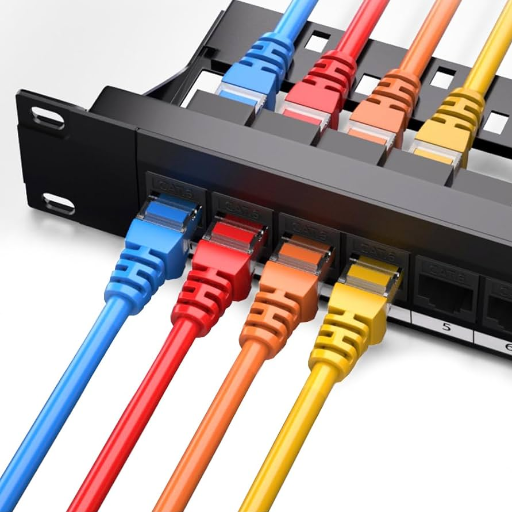
Plan the Layout: Map out the location of each piece of equipment inside the rack—cluster devices with similar functions away from cable clutter and toward accessibility.
Use Cable Management Accessories: Set up cable management panels and horizontal and vertical organizers to guide wires neatly and efficiently. Velcro straps will ensure that any wire bundling is safe and secure.
Label the Cables: Ensure that you label the cables clearly and consistently, specifying both the cable type and the connection it makes. Such labeling will make maintenance and troubleshooting much easier from then on.
Separate Power and Data Cables: Power cables should be routed away from data cables to minimize interference and improve airflow within the rack.
Allow for Slack: Don’t pull cables too tight! A little bit of slack may be helpful for some adjusting or maintenance without the need for rewiring.
After taking these preparations, you will have a clean and efficient cable management system in your server rack, ensuring better performance and easier maintenance.
Choosing the Right Server Rack
Choosing an appropriate server rack is a crucial decision for your IT infrastructure, as it impacts its functionality, scalability, and organization. There are some factors to consider when selecting a server rack:
Rack Size and Dimensions: First, do you know the height (in units or “U”), width, and depth that you should allow for your equipment? Most racks are 19 inches wide, while their height ranges from 18U to 48U. Ensure it is deep enough to accommodate your server and any other hardware, with sufficient space for airflow and cable management.
Weight Capacity: Calculate the maximum weight capacity required for the rack, which may be helpful if housing many heavy servers or pieces of equipment. It usually ranges anywhere from 200 lbs to above 3,000 kg, contingent on the model. Do consider future hardware additions when assessing weight requirements.
Cooling and Ventilation: Good airflow is crucial for delivering optimal performance to a server. Popular choices for doors enhancing cooling are perforated doors, mesh panels, and fan kits. Furthermore, one might select racks with open frames or optimized designs to facilitate airflow and mitigate overheating.
Power Distribution Options: Choose racks that can accommodate intelligent PDUs for managing power delivery. Also, consider racks with integrated cable management to ease the power installation process.
Security Features: Data center security is crucial. These racks should have lockable front and rear doors, have side panels, and have an access control system. These features will restrict unauthorized access to sensitive hardware.
Scalability and Flexible Design: Choose racks with modular designs, adjustable mounts, and customizable rails to accommodate any future upgrades as the infrastructure expands. Other features aiding this include removable side panels and tool-less adjustment.
Compliance and Standards: Ensure the server rack complies with industry standards, such as EIA-310, to ensure broad compatibility with IT equipment. It is also critical for it to comply with safety and environmental standards, such as UL certifications.
Considering all these criteria in detail will ensure that one invests their resources in a server rack that accommodates their present needs but is also flexible enough to incorporate emerging technologies and address scalability concerns. An appropriately sized server rack accentuates the performance of the equipment, supports its maintainability, and impacts overall efficiency in the data center setup.
Server Rack Cable Management Solutions
Efficient solutions are crucial for maintaining a clean and organized environment, ensuring optimal airflow, and ensuring proper maintenance in server racks. Drawing from primary resources, here’s a short list of best practices:
Cable Accessories for Management: Proper use of cable management arms, trays, or hooks can swiftly route cables in the racks. Velcro straps or reusable ties work well for bundling with minimal or no damage.
Color Coding and Labeling: Consider color-coding cables based on a specific criterion, typically indicating power and sometimes data. Label both ends of a cable for easy identification when troubleshooting an issue or relocating it.
Leave Room for Growth: In cable management trays, allow extra space or refrain from pulling cables too tight to maintain room for future expansion and changes to your setup.
Keep Power and Data Cables Separate: Run power cords and data cables on opposite sides of the rack to minimize EMI and optimize airflow.
Maintain Proper Cable Lengths: Too-long cables can make clutter. Using custom-length cables or organizers is beneficial for removing clutter while ensuring optimal connections.
Effective cable management makes the setup sleek, neat, and professional, extending the life of the equipment while improving airflow inside the rack and facilitating faster diagnostics and repairs.
Utilizing Patch Panels and D-Rings
Using patch panels and D-rings, a network setup manages cables in an organized fashion with scalability and ease of maintenance. A patch panel serves as a single point for incoming wires, ensuring a systematic way to connect devices and route them. Troubleshooting is easy since patch panels have clearly labeled connections, reducing downtime whenever they’re engaged in diagnosing or upgrading a system.
D-rings are the perfect complement to patch panels, ensuring smooth cable runs and preventing cable twisting or kinking. They maintain proper bending radius for wires, which is vital for the integrity of the signal and the longer lifespan of the infrastructure. It is said that the more organized the cabling system, the better the workflow, resulting in a 50% reduction in maintenance time, provided that patch panels and D-rings are correctly installed in the cabling system.
Consider placing cable managers vertically or horizontally, depending on their space within the rack. When installing horizontal cable managers, patch panels, and D-rings. Thus, high-capacity D-rings and CAT6 patch panels may well manage the demands of today’s networks, which include a maximum bandwidth of 10 Gbps and a frequency of 250 MHz. This is further enhanced by high-quality cables, which minimize signal loss and improve data transmission. With this combination of tools, network infrastructure can stay efficient, scalable, and ready for the future.
Best Practices for Home Network Cable Management
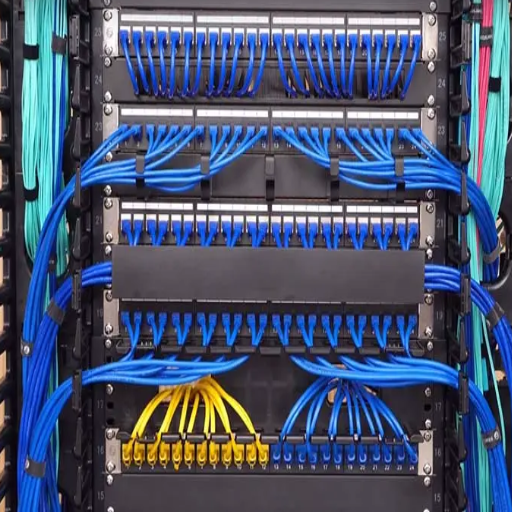
Elegant cable management in home networking serves not just for performance enhancement but also for easy maintenance and scalability. Start by laying out the cables to keep them away from clutter and tangles. Use cable organizers, such as zip ties, Velcro straps, or raceways, to securely hold and neatly route cables. All cables must be marked, which facilitates quicker identification during troubleshooting or upgrades. Preferably, opt for high-quality Ethernet cables, such as CAT6 or CAT6a, to achieve faster speeds and minimize interference. Try to keep away from power lines or devices that might cause signal degradation. Conduct regular inspections and adjustments to your recording setup to ensure it maintains optimal performance and is prepared for future installations. Following these will help to keep your home network clean, reliable, and more professional in appearance.
Planning Your Network Layout
A robust network design ensures uniform performance, scalability, and efficiency across all components. Initially, try to list down the focal points in your house where a strong and stable internet connection would be required most. For instance, study areas, home offices, and entertainment places often require higher bandwidth than do bedrooms or storage areas. The modern way is to place a single router or access point in a central location for maximum Wi-Fi coverage, thus minimizing those dead spots.
While planning your layout, consider the locations of your most critical network devices, including routers, switches, access points, and Ethernet ports. To maintain good Wi-Fi performance, routers should be placed high on shelves or mounted on walls, where nothing blocks the signal, such as a piece of furniture or a large kitchen appliance. Mesh Wi-Fi systems should also be considered, as they undeniably improve coverage in large houses or properties with multiple floors, extending the signal without any gaps.
Statistics show that wired Gigabit Ethernet is the gold standard for latency-sensitive transmission technology, working with applications such as online gaming and media streaming with 4K resolution. With the emergence of Period 1 Gigabit Internet, ensure your topology supports CAT6 or higher cables since they can sustain a bandwidth of up to 10Gbps over short distances.
Plan for changes. With smart home devices on the rise, the average household is projected to have 20 or more connected devices, and this number is expected to increase steadily. Leave extra Ethernet ports in your home, as well as space within the network enclosure, for potential upgrades that may require additional switches or upgraded routers. A solid plan would save you a lot of time and effort when your connectivity needs change.
Regular Maintenance and Organization Tips
Any network must undergo regular maintenance to ensure smooth operation. I tend to check for cable connections periodically, in case wear or damage might have occurred. I organize cables by label and tie so that I can identify and fix any issues right away. I also keep my router and switches up to date with the latest firmware to prevent security issues and optimize performance. By staying ahead of things in arranging my setup, I give myself the best opportunity to meet all my network needs.
Tools and Accessories for Effective Management
Effective network management requires having the right tools and accessories for optimal operation and ease of diagnosis. Cable management accessories, such as zip ties, Velcro straps, and cable sleeves, help keep wires well-organized and free from clutter. Labeling machines or pre-labeled tags make it easy to identify cables, thereby saving a significant amount of time during maintenance. Additionally, having a top-rated router in the house, especially one that follows QoS and dual-band standards, would help improve connectivity and performance for multiple devices.
The software tools, such as network analyzers and monitoring applications, help detect issues, track bandwidth usage, and raise suspicions of potential vulnerabilities. Surge protectors and UPSs will protect devices from power surges or outages; hence, the network will remain operational during any unexpected scenario. If the tools and accessories are kept in conjunction, a smooth network with management will be crafted efficiently and securely, above all.
Reference Sources
“Intelligent Mobility Management Model for Heterogeneous Wireless Networks”
“A Research Paper of Security Enforcement Policy for (SDN)(WLAN) Software Defined Network”
“A Survey of Various Intelligent Home Applications Using IoT and Intelligent Controllers”
Frequently Asked Questions (FAQs)
What is network cable management, and why is it essential?
Network cable management refers to the systematic organization and maintenance of network cables to ensure efficient, reliable performance. Proper management helps prevent data loss, minimizes the risk of cable damage, and keeps your network running smoothly. By implementing effective cable management strategies, you can increase efficiency and maintain a tidy environment, which is especially crucial in server rooms and data centers.
How can I avoid spaghetti cables in my server room?
To avoid spaghetti cables in your server room, implement a structured network cable management plan. Utilize cable ties, lacing bars, and D-rings to bundle and route cables neatly. Horizontal lacing techniques can also help keep cables organized and tidy. Regularly review your cable layout to ensure it remains neat and free of excess slack, which can lead to tangled and messy bundles.
What cable management products are recommended for server racks?
For server racks, several cable management products are recommended, including vertical and horizontal cable managers, patch panels, and reusable cable ties. Adjustable hangers and velcro straps can also assist in securing cables without causing damage. Using these products can help create a more organized and efficient environment within your network racks.
How do I properly label my network cables?
Properly labeling your network cables is crucial for efficient troubleshooting and maintenance. Use multi-colored labels that indicate the cable’s function, destination, or port number. Place labels on both ends of each cable to facilitate easy identification. This practice is beneficial in complex installations with numerous wires, as it prevents confusion and reduces downtime.
What is the best way to install cables in a data center?
The best way to install cables in a data center involves planning your layout carefully, using labeled bundles, and employing cable management solutions like racks and organizers. Avoid sharp bends to prevent damage and signal degradation. Utilize horizontal lacing and cable management offers to keep cables neat and accessible, ensuring optimal airflow and reducing the risk of overheating.
How can I use D-rings and lacing bars for network cable management?
D-rings and lacing bars are practical tools for organizing network cables. D-rings can be mounted on racks to route cables securely, while lacing bars help to keep cables aligned and prevent tangling. By using these tools, you can maintain a clean and efficient setup that enhances the performance of your network infrastructure.
What are the benefits of using reusable cable ties?
Reusable cable ties offer several advantages, including flexibility and environmental sustainability. They enable easy adjustments to cable bundles as your network evolves, eliminating the need for constant replacement. This not only saves costs but also helps keep your network organized efficiently, making it easier for technicians and installers to manage cables during upgrades or maintenance.
How do I maintain my network cable management system?
To maintain your network cable management system, regularly inspect cable routes for wear and tear, and ensure labels remain legible. Reorganize cables as needed to accommodate changes in your network setup. Keeping an inventory of cable management products and tools can also help you quickly resolve any issues that arise, ensuring your network remains efficient and reliable.
What should I avoid when managing network cables?
When managing network cables, it is essential to avoid sharp bends, excessive slack, and overcrowding in cable bundles. Such practices can lead to damage and reduced performance. Ensure that cables are routed away from heat sources and have adequate support to prevent dangle. Regularly reviewing your setup can help identify and rectify potential issues before they escalate.