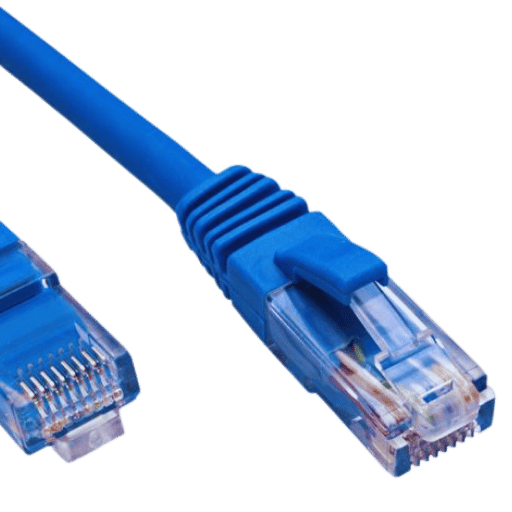
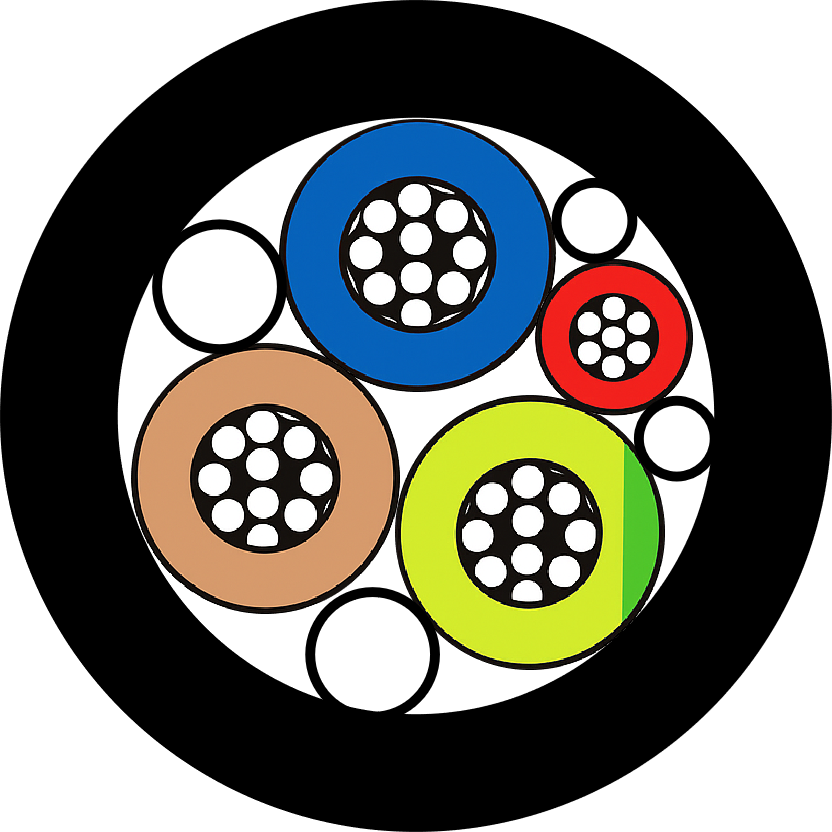

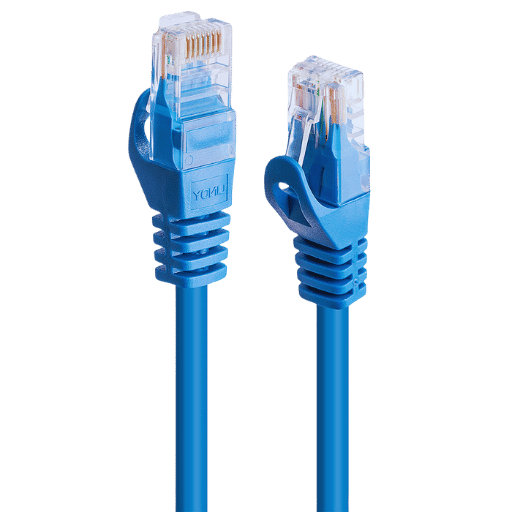
在當今時代,一切都是相互連結的,一個 RJ45 乙太網路連接器對於建立快速可靠的網路連接非常重要。作為有線網路中最常用的連接器,它是從家庭網路到大型企業系統等不同網路基礎設施的重要組成部分。本指南旨在解釋 RJ45 連接器的全部內容,包括其設計、功能以及應用位置,特別是在使用 RJ45 Cat6 時。本文詳細介紹了技術規格和案例,以便讀者更好地了解這款小設備如何支援我們周圍的現代網路功能。假設您是通訊技術領域的專業人士或只是熱愛小工具的人。本手冊將為您提供足夠的知識來了解其重要性以及任何乙太網路系統中的工作機制。.
什麼是 RJ45 連接器?
RJ45 的定義
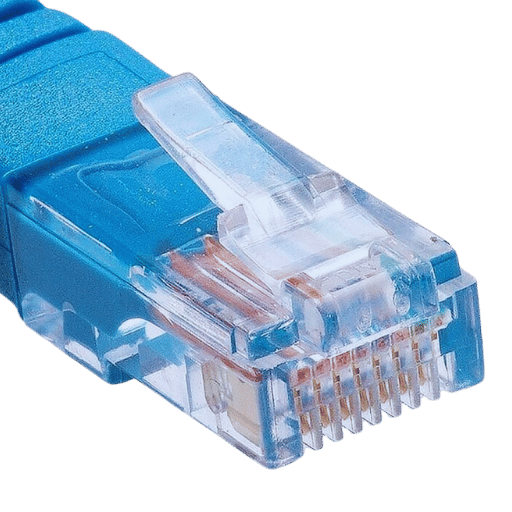
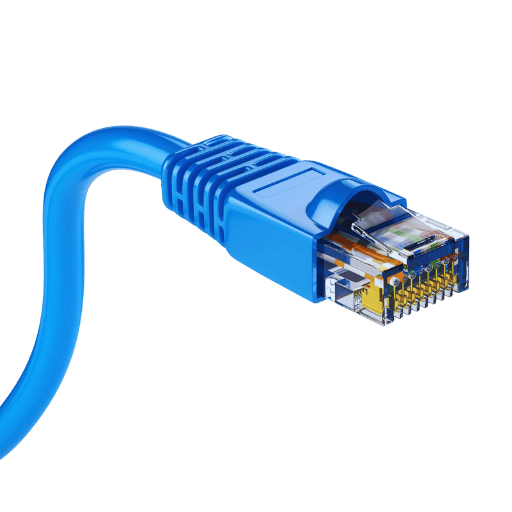
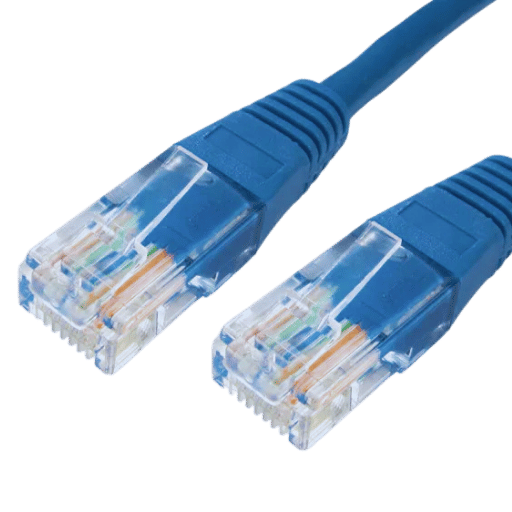
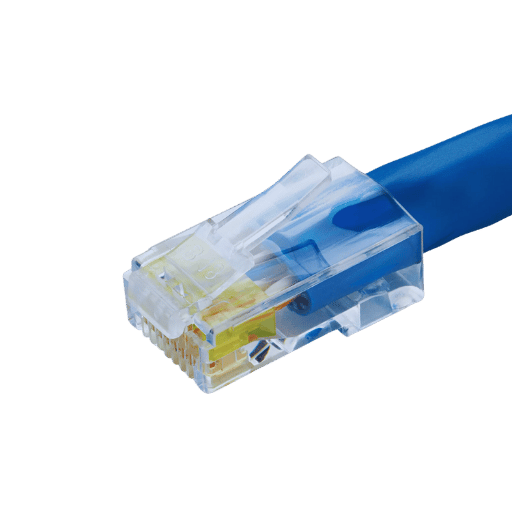
RJ45連接器是“Registered Jack 45”的簡稱,它是一種八針標準化物理接口,廣泛應用於網路應用,主要是乙太網路連接。每個 RJ45 連接器都有一個模組化插頭,具有八個位置、八個導體 (8P8C),通常以雙絞線電纜(例如 Cat5e、Cat6 或 Cat7)端接。這些導線位於連接器中的各個引腳處,對應於 RJ45 乙太網路電纜中的資料傳輸和接收等特定功能。.
RJ45 連接器的技術設計由特定的引腳排列 T568A 或 T568B 標準 8 組成,這些標準定義了電線應如何佈置在其中。例如,在 T568B 配置下,白色/橙色電線連接到引腳 1,而橙色電線連接到第二個引腳。此設定的結構化性質可確保網路上不同設備之間及其整個基礎設施的兼容性。強大的設計允許透過插入/移除週期進行多個連接;此外,鎖定機構將它們足夠緊密地固定在一起,而不會影響訊號強度。.
RJ45 連接器根據標準配置和規格實施,可建立穩定的高速網絡,能夠根據電纜類別和系統要求支援高達 10Gbps 的資料速率。這種適應性與可靠性相結合,使其成為當今住宅和商業網路環境中使用的最重要的組件之一。.
RJ45 連接器的歷史和演變
20 世紀 80 年代的 IT 專業人士開始了 RJ45 連接器的旅程,當時他們需要電信和網路的標準解決方案。這項技術最初是為電話而設計的,但隨著時間的推移,網路基礎設施變得更加先進,其功能也變得更加先進。最早的類型被設計為與較低類別的電纜(例如 Cat3)配合使用,這些電纜用於簡單的電話系統。儘管如此,人們還是希望獲得更快的資料傳輸速率,這導致了 Cat5e 和 Cat6 等雙絞線電纜的開發,直到最近 Cat7 誕生以及其他改進。.
早期基於電話的應用之後電腦網路的出現代表了 RJ45 功能的重大轉變。乙太網路在這段時期開始形成,其基礎是在 20 世紀末(20 世紀 70 年代)奠定的。大約在同一時間,引入了結構化佈線系統,該系統標準化了網路的安裝方式,無論是在家庭還是企業。他們要求連接器上的引腳應始終與稱為 T568A/B 配置的某些電線相對應,以便任何設備都可以連接到任何其他設備,而不會引起與相容性或可靠性相關的問題。.
有線技術的進一步進步,加上負責建立新網路標準的不同組織提出的不斷變化的需求,使得RJ-45支援資料速率的能力進一步提高,目前它可以處理達到每秒10吉比特的速度(Gbps)。到目前為止,RJ 45 不僅倖存下來,而且在當代網路基礎設施中蓬勃發展,因為沒有它們,我們就無法談論現代網路;它的堅固性與多功能性對於在最頻繁需要快速可靠鏈路的各種環境條件下以不同頻率運行的設備之間建立穩定連接仍然至關重要。.
常見用途和應用
乙太網路是 RJ45 連接器的主要應用領域,其中包括將電腦、交換器和路由器等網路設備連接到促進這些連接的結構化佈線系統。這種實現可以實現長距離和短距離的可靠資料傳輸,從而使 RJ 45 成為區域網路 (LAN) 等中的重要組件。這種插件插孔的另一種用途是電信,它支援語音和資料傳輸。它還與 VoIP 語音互聯網協定等服務一起使用,這些服務通常需要稱為 RJ45 Cat6 電纜的電纜。此外,可程式邏輯控制器(PLC)與其他自動化單元一起可以在工業環境中透過這些連接器連接,從而增強整合控制系統相對於集中式網路通訊能力的功能。甚至住宅區也受益於它們;例如,智慧家庭設備可以使用這些連接器進行鏈接,以便家庭網路的不同部分能夠不間斷地進行通訊。.
如何將 RJ45 連接器壓接至電纜?
壓接所需的工具
為了建立安全且有效率的連接,必須使用許多不同的工具來壓接電纜上的 RJ45 連接器。以下是該過程中使用的常用工具的詳細清單:
壓接工具:
- 定義 圖1是專門用於將RJ45連接器壓接到電纜上的多功能工具;通常配備鋼絲鉗和脫模器。.
- 功能 o 施加將連接器與電纜固定在一起所需的壓力,同時確保一個連接器上的引腳與另一個電纜上的引線接觸。.
- 主要特點 符合人體工學的手柄;可互換模具;棘輪機構(用於一致的壓力)。.
電纜剝線器:
- 定義 答:本設備允許使用者移除外護套而不損壞內接線系統。.
- 功能 u 切割每個導體周圍的絕緣層,以便稍後終止。.
- 主要特點 刀刃深度可調;適用於乙太網路 Cat5e、Cat6 等類型的電纜;也可以使用精密切割刀片。.
RJ45 連接器:
- 定義 10 這些是專為終止乙太網路電纜而設計的模組化插頭。.
- 功能 答:它為網路連接設備提供了標準終止點,因此使它們更容易連接在一起或在必要時插入路由器/交換器等。.
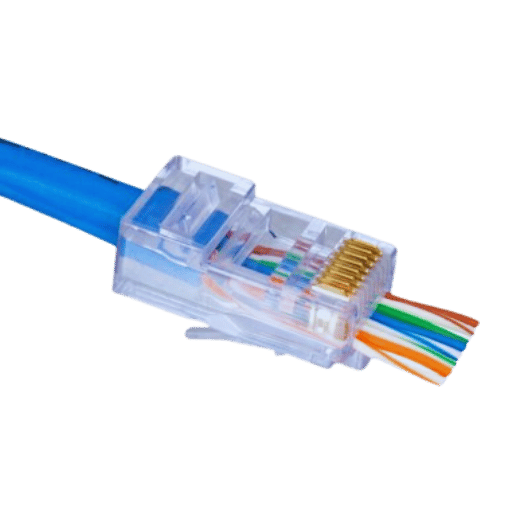
- 主要特點 鍍金觸點提供更好的導電性,從而最大限度地減少傳輸過程中的損耗;透明的外殼可以讓人們了解電線如何在其分配的插槽內互連;即使在頻繁使用的條件下,例如容易因機械操作等引起振動的工業環境,堅固的塑膠建築材料也能確保耐用性。.
乙太網路電纜(網路電纜):
- 定義 答:這是一種雙絞銅線,使用內建交換器介面的交換器/集線器/路由器在透過 LAN 或家庭網路連接的電腦之間傳輸訊號。.
- 功能) - 在相對較短的距離內以高速在網路設備之間傳輸資料訊號,例如房間相距但在同一建築物內或樓層相距但在幾公尺內等,具體取決於下文概述的各個類別中實施的基礎類別評級。.
- 主要特點 co 可用類別包括 Cat5e(增強型)、Cat6(更高頻寬容量)和 Cat6a(最多 10 Gigabit 乙太網路);根據使用環境的不同,有非屏蔽或屏蔽選項;根據需要連接的兩個點之間預計覆蓋的距離,可用的長度不同。.
電纜測試儀:
- 定義 1A 檢視壓接過程中電線是否正確連接的電子設備。.
- 功能 a 測試壓接過程中電氣連接的連續性以及新電纜的整體性能。.
- 主要特點 帶有顯示通過/失敗結果的 LED 指示燈;多種測試模式,例如用於追蹤電纜等的音調產生以及與各種類型的兼容性,包括同軸、電話等。.
逐步壓接過程
準備電纜:
- 使用的工具: 剝線機。.
- 步驟說明: 使用換線器取下網路電纜外蓋約 2 英吋的位置。應調整刀片深度,以免損壞內部電線。然後,將脫模器繞在電纜上旋轉,進行乾淨的切割,然後拉下護套,露出其內部的兩對絞合線。.
鬆開並對齊電線:
- 步驟說明: 解開每對並拉直每根電線。根據網路系統的要求,依照 T568A 接線標準或 T568B 接線標準排列它們;犯錯將導致效能不佳。對齊這些電纜時必須遵循正確的順序,因為這會影響它們的功能。.
- 數據: T568A 標準 [綠白、綠、橙白、藍、藍白、橙、棕白、棕] T568B 標準 [橙白、橙、綠白、藍、藍白、綠、棕-白色,棕色]。.
修剪電線:
- 使用的工具: 線切割機。.
- 步驟說明: After properly aligning them all together, use a wire cutter to trim ends evenly across so that they extend approximately 0.5 inches from the stripped jacket, which should also be even with each other.
Insert Wires into RJ45 Connector:
- 使用的工具: RJ45 connector.
- 步驟說明: Insert each aligned & trimmed wire carefully into an appropriate slot provided on RJ 45 connectors making sure there is no mix-up in connection between wires as indicated by colors or numbers printed near slots of connectors used; additionally it’s advisable that you put some force once inserting them since failure can cause signal loss due to loose connections between these two devices connected over Ethernet cables.
Crimp the Connector:
- 使用的工具: Crimping tool.
- 步驟說明: Place crimp tool over RJ45 Cat6 plug, ensuring proper seating then squeeze firmly until the ratchet mechanism releases itself, thereby indicating full attachment points being engaged between these two devices connected over Ethernet cables, but make sure metal contacts within crimped connector pierce insulation around each wire thus establishing electrical contact which will enable passage of electrical signals through this connection point.
Test the Cable:
- 使用的工具: Cable tester.
- 步驟說明: Use cable tester to confirm if all crimp connections are good. Insert both ends of the cable into the tester and according to manufacturer’s instructions run a test ensuring that all connections are secure and showing pass on LEDs.
By following these steps, you can have a reliable, high-quality network connection that will not only boost data transmission speed but also minimize errors or even total loss of information. Making proper crimps is necessary for keeping up overall performance levels as well as reliability in any given networking environment.
Common Mistakes and Troubleshooting
Incorrect Wire Order:
- 問題: Incorrectly ordering the wires is one of the most frequent mistakes.
- 解決方案: Follow either the T568A or T568B wiring standards with your cables. Check them over and recheck them again before they go into an RJ45 connector.
Improper Crimping:
- 問題: When a crimping tool is used improperly, it may not puncture through wire insulation. Because of this, no weak connection or connection is formed between metal contacts.
- 解決方案: Ensure that the RJ45 connector is inserted all the way into a crimping tool before applying even pressure down its handle while squeezing so as to bond the jacket tightly around the conductor(s). Use cable tester for connection verification purposes.
Insufficient Strain Relief:
- 問題: If cable jacket does not go well within an RJ45 connector, then wires will be left unsupported thus straining them which could eventually damage their integrity overtime.
- 解決方案: Ensure that there is enough extension of cable jackets inside connectors for proper strain relief; redo step where necessary till seated right.
Excessive Length of Stripped Wires:
- 問題: Taking off too much wire insulation may leave conductors exposed unnecessarily thereby leading to short circuits or connectivity problems.
- 解決方案: Strip only about half inch of jackets so as to reveal conductors; trim evenly across all connections and make certain each one fits tightly in its corresponding port opening within this device being used for termination (e.g., plug).
These are typical blunders but can be avoided through regular testing as well as using correct technique. In case any given cable fails test, re-examine step by step closely then rectify identified faults towards establishing reliable network link.
What are the Differences Between Cat5e and Cat6 RJ45 Connectors?

Cat5e vs Cat6: Overview
Cat5e and Cat6 RJ45 connectors are extensively utilized in network infrastructure; hence, it is important to know the differences between them for optimal network performance. Below is an in-depth comparison that identifies key points as well as technical variations between these two categories:
Transmission Speed and Bandwidth
- Cat5e (Category 5 Enhanced):
- Speed of transmission: Up to 1 Gbps.
- Bandwidth: Up to 100 MHz.
- Suitable for: Basic network needs like internet browsing, email, moderate file transfer and so on.
- Cat6 (Category 6):
- Speed of transmission: Up to 10 Gbps (for distances up to 55 meters).
- Bandwidth: Up to 250 MHz.
- 適合 more demanding applications such as high-definition video streaming, online gaming, larger file transfers etc.
Cable Structure
- Cat5e:
- 線規:24 AWG (American Wire Gauge).
- 屏蔽: Usually unshielded, with UTP (Unshielded Twisted Pair) being the most common variant.
- Maximum Length: Up to 100 meters for 1Gbps transmission.
- Cat6:
- 線規:23 AWG.
- 屏蔽: Both UTP and STP (Shielded Twisted Pair) offer better resistance to electromagnetic interference.
- Maximum Lengths: Up to 55 meters for 10 Gbps on Cat6 versus up to 100 meters for 1 Gbps on Ethernet Cat5e.
Crosstalk and Noise Reduction
- Cat5e:
- Designed with improved attenuation-to-crosstalk ratio(ACR)and reduced near-end crosstalk compared with original cat5 cables.
- Cat6:
- Offers greater noise reduction by having stricter manufacturing standards plus tighter twists within pairs themselves.
- Also has Enhanced Alien Crosstalk(AXT)reduction capabilities thus making it perform better across networks where there may be many connections close together.
Applications and Use Cases
Cat5e:
- Residential and small business networks.
- Ethernet networks up to 1Gbps, VoIP, low to moderate data rate applications, etc.
- Cat6:
- Enterprise networks are larger; data centers, environments that need higher speeds or wider bandwidths.
- It is also good for running applications like video conferencing which require high amounts of data to be transmitted through them at once as well as VoIP with high-speed data transfer capability.
Cost Considerations
- Cat5e:
- More affordable generally as well as being suitable for most standard network needs.
- Cat6:
- Slightly more expensive due its better performance abilities plus construction quality but offers long term value especially where there are high performance requirements from the network setup.
In summary, whether one chooses a Cat5e or Cat6 RJ45 connector will depend on what they want their network connection to achieve. Each has its own unique advantages, which make it suitable for different kinds of applications.
Performance Differences
Comparing Cat5e RJ45 connectors with those of Cat6 in terms of performance shows that there are various key considerations taken into account:
- Rapidity: Most home and small-scale enterprise environments are supported by 1 Gbps which can be sustained by Cat5e cables. Conversely, over shorter distances (up to 55 meters) Cat6 cables can handle speeds of up to 10 Gbps making them more suitable for high speed applications.
- Bandwidth: While providing a bandwidth of up to 100 MHz, Cat5e cables offer significantly lower bandwidth compared to cat 6 cables which provide it with only up to 250 MHz allowing for carrying more data at the same time.
- Crosstalk and Noise immunity: With closer twists and better manufacturing standards that lead to tighter tolerances in components used during its production process cat6 has better crosstalk and noise rejection capabilities thus enhancing overall network performance as well as reducing interference than any other cable types currently available on the market.
- 距離: Both categories (Cat5e & Cat6) work fine even over longer run lengths; however higher speeds specified by category six cables can only be guaranteed within fifty five meters while after this distance they fall back into similar performance range as their predecessors i.e. category fives.
All in all, when it comes down to cost vs benefit ratio between these two types – Category six offers much better results but also requires higher investment levels since such quality usually does not come cheap thus before making final decision one should take into account particular demands posed towards network infrastructure along with available financial resources.
Price and Usability
When comparing Cat5e and Cat6 cables in terms of price and usability, there are a few things to think about:
- Pricing: Relatively speaking, Cat5e cables are cheaper than Cat6 cables. This is why many people purchase them when they need something that will work well but not cost too much money. For example, based on the rates at big tech stores like Best Buy or Amazon, you could save up to 30% on every identical length or spec.
- Ease of Use and Installation: It’s not hard to install either a Category 5 Enhanced (Cat5e) cable or an Ethernet Category 6 (Cat6) cable; however, because the copper conductor is thicker in Cat sixes and they have more insulation around it which makes them stiffer so bend radius requirements are higher than those for category fives which makes it more difficult to handle them where space is tight during installation or if flexibility matters.
- Backward Compatibility: The RJ45 connector used by both types means compatibility isn’t a problem when plugging one into another within an existing network system – this also means fewer headaches when upgrading from one type to another, such as moving from a five e to six for greater performance.
In general, terms, while cat 5E may be good enough still for most average network needs to give its affordable nature and widespread use across all industries today, including government institutions like schools, etc., nonetheless, should we decide what kind of speeds we want our internet connections capable of? If it’s gigabit, then obviously don’t waste time with anything less than corresponding cables – so decide based upon your specific goals & budget constraints!
How to Choose the Right Ethernet Cable for Your Needs?

Different Types of Ethernet Cables
Ethernet cables come in five main categories. These are cat5e, cat6, cat6a, cat7 and cat8. Each type is designed for different performance levels and use cases.
- Cat5e: It is capable of supporting up to 1 Gbps speeds with a maximum frequency of 100 MHz. It is ideal for most home and office networks.
- Cat6: This cable can support speeds up to 10 Gbps over shorter distances with a maximum frequency of 250 MHz. High-speed applications can benefit from it as well as gaming.
- Cat6a: An augmented version of Cat6 that supports speeds up to 10 Gbps over longer distances with a maximum frequency of 500 MHz. It is perfect for data centers and high-performance networks.
- Cat7: With this type you get speeds up to 10 Gbps at a maximum frequency of 600 MHz. The cable has better shielding which reduces signal interference; therefore, mainly used in professional setups.
- Cat8: Cat8 delivers ultra-high-speed data transfer rates of up to 40 Gbps along with a massive bandwidth capacity that reaches a maximum frequency value equaling two thousand megahertz (2000 MHz). This makes it the fastest Ethernet cable available in the market today, designed specifically for server farms and data centers where very high-speed communication links are required between multiple devices within close proximity, such as racks or cabinets that house servers, etc.
When choosing an Ethernet cable, one must consider network requirements, speed needs, environmental factors, etcetera.
Shielded vs. Unshielded Cables
It is important to think about the amount of electromagnetic interference (EMI) in the place where the cables will be installed when making a choice between shielded (STP) and unshielded (UTP) cables. Shielded cables have conductive layers that offer extra protection against EMI; hence, they are good for use in areas that have intense interferences, like near heavy machinery or industrial settings. On the other hand, although this kind of safeguarding is not found on unshielded cables, they are easier to install, more flexible and usually enough for most home or office installations where there is little EMI. What you need to do is base your decision upon environmental factors as well as levels of interference anticipated by your network.
Factors to Consider When Buying
There are several factors that you should consider when choosing an Ethernet cable to ensure optimal performance and compatibility. These include:
- Speed Requirements: Find out what data transmission speed your network needs. Up to 1 Gbps speeds can be supported with Cat5e, while for categories of Cat6 and above, they range between 1 Gbps and 40 Gbps depending on category.
- 電纜長度: You should consider how far the cables will run in terms of distance. Higher categories (such as Cat6a) are capable of maintaining higher speeds over longer distances.
- Bandwidth Capacity: Take into consideration the bandwidth frequency required by your network. The higher the category, the more frequencies are offered for supporting greater amounts of data transfer which reduces latency.
- Installation Environment: Where will these cables be installed? Evaluate this because if it’s an area with lots of interference, then shielded type(STP) should be used, but for low-interference residential or office settings, unshielded type (UTP) would work just fine.
- Compliance And Certifications: Confirm whether or not industry standards have been met by checking for things like TIA/EIA recognition or CE markings, which indicate compliance with European Union safety regulations plus reliable performance.
- Future Proofing– Invest in patch cables now so that as technology advances you need not worry about upgrading later thus saving time/money in future upgrades caused due lack thereof.. Also think about this during expansion plans since higher categories may be needed to cater for increased demand over time without having to replace them frequently.
- 成本 – It is always important that one balances their budget against what they expect from such products; however, higher priced items tend to last longer because of improved quality, hence durable nature together with enhanced functionality.
How to Properly Shield an RJ45 Connector?

Why Shielding is Important
According to me, in order to safeguard signals from losing their value and prevent them from getting distorted while passing through a cable, it is important that shielding is done. Data can be lost or deteriorate if electromagnetic interference (EMI) and radio frequency interference (RFI) are not controlled – these two cause a lot of harm to signal quality. Fast speeds need to be maintained throughout the transmission line and protection can do this by stopping any outside forces. Ensuring connection reliability between devices within an industrial area may call for shielding due to excessive noise levels produced by many electronic gadgets being used at once; similarly protecting against physical damage caused by external factors like weathering could extend life expectancy too.
Types of Shields Available
Foil Shield (F/UTP):
- 組成: Thin covering of aluminum or polyester-encased aluminum foil twisted around the cable or individual pairs.
- 優點: Provides excellent coverage; lightweight; good protection against EMI and RFI.
- 應用: Works well in areas with moderate interference, such as office buildings or residential spaces.
- 數據: Can provide 100% coverage but less flexible due to its foil nature.
Braided Shield (S/UTP or S/FTP):
- 結構: Mesh made up of bare or tinned copper wires woven around the cable.
- 好處: Gives strong mechanical protection and is more flexible than foil shields.
- 應用: Suitable for use where the cable will be bent frequently or subjected to physical stress, for example in industrial settings.
- 數據: Covers about 70-95% of the cable overall, balancing protection with flexibility.
Foil and Braid Combination (F/FTP or S/FTP):
- 建築: Contains both a foil shield and a braided shield, creating two protective layers.
- 優點: It combines wide-ranging coverage provided by foils with braid’s mechanical strength plus flexibility.
- 應用: Best suited for environments having high levels of interference requiring maximum protection, like data centers or broadcasting studios.
- 數據: Achieves almost complete coverage (up to 100%), hence ensuring strong protection from any type of interference.
Overall Shield (U/FTP):
- 設計: Only the entire cable is protected, usually with a foil or braided shield, but not the individual twisted pairs.
- Benefits: Simplified construction that still provides some EMI and RFI protection.
- 應用: General network installations with no need for high-precision shielding per pair.
- 數據: Generally easier to install and terminate, providing a practical balance between ease of use and level of protection.
Knowing about different kinds of shields gives network engineers an opportunity to choose appropriate types depending on their specific working conditions and performance expectations. Each type provides a certain level against shielding effectiveness as well as installation properties which greatly affect network reliability and efficiency at large.
Implementation and Best Practices
To construct an efficient shielded network, it is necessary to comprehend the most effective methods in terms of performance and safety. Here are some things to keep in mind:
- Choice of the Shield: Selecting the right kind of shielding depends on specific environmental conditions and levels of interference. For places with high levels of interference such as data centers or broadcasting studios, it is advisable to use F/FTP or S/FTP cables because they have two layers of protection which makes them strong.
- 正確接地: Grounding should be done correctly at both ends for all shielded cables so as to prevent accumulation of undesired noise thus enhancing overall effectiveness in shielding.
- Cable Management: It is important that cable management techniques are applied properly to uphold shield’s integrity. Twisting and bending should not be done excessively since this may affect its performance negatively.
- 連接器品質: Connectors used with these types wires need to be top-notch since substandard ones cause signal loss thus lowering their efficiency in protection against electromagnetic interferences (EMI) or radio frequency interferences (RFI).
- 環境因素: Ambient conditions like temperature, humidity, and electromagnetic interference sources, among others, should be considered when selecting cables with shields meeting specific environmental requirements to ensure uniform performance.
- Regular Testing: Testing equipment capable of measuring how well a given shield reduces EMI & RFI ought to be used during routine inspections carried out on cabling infrastructures for purposes of detecting any problems related to grounding/shield within such systems.
These tips will enable system designers ensure their networks installations meet required standards while still being flexible enough for other types installations.
What is the Role of an RJ45 Jack, and How is it Different from a Plug?

The function of an RJ45 Jack
In computer networking, the RJ45 jack is a crucial element because it enables Ethernet cables to be connected to devices like switches, routers and computers in a uniform way. It makes possible secure data transfer by enclosing eight electrical contacts corresponding with wires within the cable. While a plug is joined with the terminal end of an Ethernet cable, a jack is usually fixed on one side of a device or connector panel, which serves as a stable connection point, ensuring network communication reliability and uniformity.
Differences Between Jacks and Plugs
In network infrastructure, RJ45 plugs and jacks differ in terms of their functions and locations. RJ45 plug is a male connector linked to one end of an Ethernet cable; it has eight pins that match with separate wires inside this cord. Conversely, it’s a female port usually mounted on devices such as computer switches or wall outlets, which contain contacts matching those pins found on plugs. When data transmission cables terminate at points, plugs serve as terminators while jacks act as fixed points where these connections are made so that there is always an uninterrupted and secure path for communication across networks.
Common Issues and Maintenance
Common Problems
Problems that can occur with RJ45 jacks and plugs include bad connections, loss of signal or physical damage. Bad connections are usually caused by incorrectly terminated cables or corrosion on the contacts that leads to intermittent or no signals at all. Also, physical damages such as broken latches on the plug ends and bent pins in the jack sockets can break network links thereby causing downtime.
維護
To keep RJ45 jacks and plugs working well, it is important to check their cleanliness regularly. To clean oxidized or dirty contacts, use a soft brush dipped into isopropyl alcohol. Furthermore, cable terminations must be done correctly according to TIA/EIA-568 standards so as to prevent connection failures. Plugs should be handled gently and not forced during insertion/removal since this may cause physical damage, which could affect the long-term reliability of network infrastructure.
參考來源
常見問題(常見問題)
Q: What is an RJ45 Ethernet Connector?
答:RJ45 乙太網路連接器是一種流行的電纜連接器,其主要用途是網路。它實際上是一種模組化連接器,專為雙絞線乙太網路電纜(包括 Cat5e、Cat6 和 Cat6a)而設計。該連接器通常有 8 個位置和 8 個觸點,這使其適用於大多數乙太網路連接。.
Q: How does an RJ45 differ from an RJ11?
答:這兩種類型的連接器之間的區別在於,一種用作電話連接,另一種用作主要用於乙太網路中的 8 位模組化連接器。除了尺寸較小且觸點較少之外,它們在設計或功能方面沒有太多差異。.
Q: What are the benefits of using a shielded RJ45 connector?
答:屏蔽 RJ45 連接器適用於嚴重電磁幹擾 (EMI) 的環境。使用可以減少串擾和電磁幹擾,從而建立穩定可靠的乙太網路連接,在涉及工業和高幹擾設定時更是如此。.
Q: What types of cables can be used with an RJ45 connector?
答:不同類別的乙太網路電纜,例如 Cat5e、Cat6,甚至 Ca6a,可能非常適合這種特殊類型的插孔。這些電纜比其他電纜具有更高的性能水平,因為每個類別都支援不同的速度/頻寬。.
Q: How do you properly terminate an RJ45 cable?
答:正確剝開電纜,然後在壓接工具連接模組化插頭之前根據 T568A/T568B 接線標準排列雙絞線,確保正確的端接,實現可靠的網路連接。.
Q: What is an Ethernet coupler, and when would you need one?
答:乙太網路耦合器是用來連接兩條乙太網路電纜的裝置或適配器。這種類型的設定有很多用途,但當使用者想要延長乙太網路電纜的長度而不必更換整個電纜時,最常用。這在空間可能有限或連接器已就位且無法輕鬆移除的跳線應用中特別有用。.
Q: Why are Cat6 connectors considered better than Cat5e connectors?
答:cat6 連接器被認為比 cat5e 連接器更好的原因很大程度上是因為它們可以處理更高的頻率和增加的頻寬,最終提高整體效能;然而,還有更多!雖然這些屬性本身就使它們成為有價值的繼承者,但速度還有另一個關鍵因素。由於在較短距離內速度可能高達 10Gbps(而不是使用類別 5e 的最大速度僅為 1Gbps),因此很明顯為什麼有人可能會選擇 6 比 5e,特別是如果他們運行大量資料流量的企業級網路經常發生。.
Q: Can I use RJ45 pass-through connectors for cable termination?
答:是的,RJ45 直通連接器的設計明確,考慮到易於安裝。因此,它們透過在終止過程中將電纜本身的電線壓接在一起之前允許電纜本身的電線直接穿過它們來簡化事情;當同時處理多個連接時,這可以輕鬆地對齊,因為這裡需要完成的所有工作實際上涉及根據顏色排列適當的對,然後將連接器推到下面的電線上,直到正確點擊到位,然後重複步驟。.
Q: What should you consider when choosing a crimping tool for RJ45 connectors?
答:選擇壓接工具時,有幾個因素會發揮作用,包括與絞合電纜與實心電纜的兼容性、精確/耐用的壓接能力以及根據需要剝線的能力,使終止過程總體上更容易、更有效率。.
Q: Are there any advantages to using a shielded m12-a-coded connecting cable with RJ45 connectors?
答:將屏蔽M12-A 編碼連接電纜與RJ45 連接器結合使用有幾個好處,例如增強電磁幹擾(EMI) 和物理損壞的保護,這對於重型機械或其他電氣設備可能存在的環境特別有用附近存在,可能會將外部雜訊/幹擾引入網路線路,從而確保惡劣工業環境中穩定、可靠的乙太網路連接。.