







For many, the understanding of the intricacies of Ethernet cable color codes can be overwhelming at first, but this fundamental knowledge is a must for anyone in networking. Whether you’re setting up a home network, trying to resolve an issue with connectivity, or putting together a more involved system, the wiring setup and its standards offer a way to ascertain communication with certainty. This tutorial will walk you through Ethernet cabling, expound on the importance of various color codes, and illustrate crossover configurations so that you may well engage in the creation, repair, or management of networks altogether with confidence. Sharpen your technical skills and insight that will simplify your troubleshooting!
Introduction to Ethernet Cables
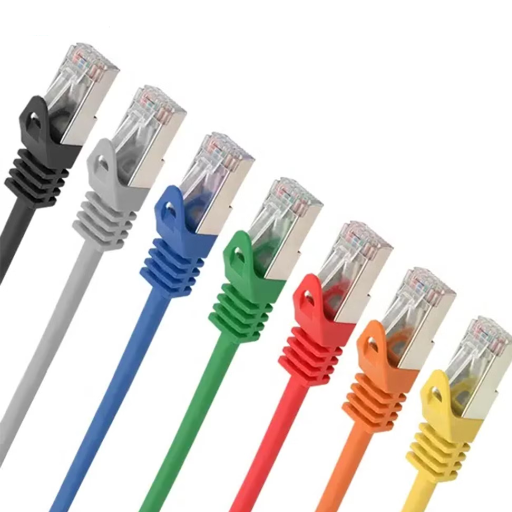
If we try to explain Ethernet cables in layman’s terms, we could say: Ethernet cables form a kind of network cable type whose application extends to connecting a computer, router, and switch into a local area network (LAN). They provide reliable and fast transmission of data that is essential for wired internet connections and communications over a network. Ethernet cable types vary widely in the category class, such as Cat5e or Cat6, with each class providing a different speed and bandwidth assistance that suits a particular network. These cables, therefore, are vital in facilitating stable and efficient wired networks either at home or at a commercial location.
What is an Ethernet Cable?
An Ethernet cable is a kind of network cable that links various devices situated inside the Local Area Network to send data, and it forms the backbone for most wired networks, with which computers, routers, switches, and many other network-enabled devices enjoy a high-speed and dependable connection. Ethernet cables are classified mainly on the basis of speed of data transfer and bandwidth capabilities.
The conductors inside all Ethernet cables are twisted to prevent electromagnetic interference (EMI). And in fact, some types are even scientifically specified for high-interference environments. With regard to physical construction, Ethernet cables usually have copper conductors, with some being supplemented with shielding for outdoor or long-distance applications. The length of these cables can be a few feet or hundreds of meters, depending on the need, whereas Ethernet standards like IEEE 802.3 maintain the specifications for their behavior.
Such cables are used in a network to guarantee consistent throughput with minimal latency, being highly suitable for data-intensive programs such as streaming, online gaming, and corporate communication systems.
Types of Ethernet Cables
More categories of Ethernet cables are available to suit different levels of performance requirements and use cases:
Cat5 and Cat5e
Cat5: Traditionally supports only a maximum transmission speed of 100 Mbps and is used for simpler networking applications; nevertheless, in more modern scenarios, Cat5e cables are highly recommended over Cat5 since these cables support Gigabit speeds with reduced crosstalk interference.
- Cat5e: Supports 1 Gbps and 100 MHz bandwidth
- Suitable for most home and office networks
Cat6 and Cat6a
Cat6: Commonly used in networks that demand higher-speed transmissions, supporting speeds of up to 10 Gbps for short distances (maximum of 55 meters). Besides faster speeds, they are also designed to shield signals better through insulation.
- Cat6: Up to 10 Gbps over 55 meters, 250 MHz bandwidth
- Cat6a: 10 Gbps over 100 meters, 500 MHz bandwidth
Cat7 and Cat7a
Cat7: Cables offer better performance using STP (shielded twisted pairs) and support up to 10 Gbps over 100 Meters, making them very suitable for high-performance setups.
- Cat7a: Augmented Category 7
- Handles frequencies up to 1,000 MHz
- Advanced networking setup applications
Cat8
The scene lays down the ground for data centers and special high-speed setups for Cat8 cables. Supporting very high speeds up to 40 Gbps for relatively short distances of 30 meters and only limiting interference via shielding, to becomes an ideal cable choice for areas with heavy electromagnetic interference.
| Cable Type | Max Speed | Bandwidth | Max Distance | Common Use |
|---|---|---|---|---|
| Cat5 | 100 Mbps | 100 MHz | 100m | Basic networking (obsolete) |
| Cat5e | 1 Gbps | 100 MHz | 100m | Home/office networks |
| Cat6 | 10 Gbps (55m) 1 Gbps (100m) |
250 MHz | 100m | High-speed networks |
| Cat6a | 10 Gbps | 500 MHz | 100m | Commercial/industrial |
| Cat7 | 10 Gbps | 600 MHz | 100m | High-performance setups |
| Cat8 | 40 Gbps | 2000 MHz | 30m | Data centers |
Overview of Cat6 Ethernet Cables
Nowadays, Cat6 Ethernet cables are the favorites of those deploying networks for their mixture of performance, fair pricing, and interoperability. Allowing for transmission speeds up to 1 Gbps over 100 meters (328 feet) in length, the upgrade that is Cat6 beats the older Cat5e standard. Moreover, given optimum conditions and proper setup, Cat6 may also be used for 10-Gbps transmission over small distances of just 55 meters (180 ft).
With the new Cat6 cables being revamped for the expanse of 250 MHz frequencies, the maximum reduction of crosstalk is observed, or otherwise, signal quality improves with distance. This is an extra option to be considered for such intense applications as HD video streaming, gaming, and LAN support in homes and offices or small data centers.
These cables use tighter twists and thicker outer sheathing than do earlier counterparts, granting the Cat6 cable stricter specifications for crosstalk interference. Less susceptible to interference either from equipment close by or from neighboring cables, the design has ensured overall better performance and stable and reliable transmission.
Cat6 would be the best choice for anyone planning to future-proof their networks while being capable of supporting gigabit speeds and yet being backward compatible. On the downside, however, it is cheaper than the much higher-grade Cat7 and Cat8, making it a worthy contender for many small-to-medium landscape networking-expression situations.
The Importance of Cable Color Codes
Cable color codes are crucial to maintaining an orderly and efficient networking infrastructure. They simplify troubleshooting and alert to any safety concerns, ensuring proper cable identification in more complex systems such as data centers or enterprise setups. Color coding can denote network types or functions or indicate hierarchy, thereby reducing any chances of misconnection and downtime.
For example, blue and yellow cables in various networking setups may connect Ethernet and POE (Power Over Ethernet) devices, respectively, whereas red cables usually denote critical connections or server-associated links. Fiber optic cables have their own colors; for instance, aqua corresponds to multimode OM3/OM4, whereas yellow is assigned to single-mode. Such predefined standards promote installation uniformity and ease of scalability.
Industry Impact: According to a recent survey, almost 65% of IT professionals attach considerable importance to color coding, because it reduces about 35% of the time for troubleshooting. Moreover, the use of a standardized set of color codes during installation and upgrades helps lessen the number of errors, thus saving time and resources.
In home networking, personal labeling or code systems can form another layer of organization. Whether dealing with small or extensive installations, concerted cable color code standards will continue to improve network management and its efficient operation.
Ethernet Cable Color Codes Explained

Ethernet cable color codes are standardized for ease of installation and maintenance, thus minimizing errors. The wiring standards are basically two: T568A and T568B. Both of these standards use the same color-coded wires for the Ethernet cable, but attach them in a different order inside the connectors: the T568A standard begins with white/green, while the T568B starts with white/orange. These standards ensure that any other equipment used can communicate properly through the network. In reference to which one to use, T568B is more popular in the United States, but whichever one is used, it should be consistent throughout the network. Knowledge and compliance with the standards guarantee a stable and efficient operation of networks.
Standard Ethernet Cable Color Code
Some standardized color codes are used for Ethernet cables to maintain uniformity and proper interconnection during network setup. The T568A and T568B wiring standards stand for specific arrangements of eight color-coded wires within the cable.
| Pin Number | T568A Color Code | T568B Color Code |
|---|---|---|
| 1 | White-Green | White-Orange |
| 2 | Green | Orange |
| 3 | White-Orange | White-Green |
| 4 | Blue | Blue |
| 5 | White-Blue | White-Blue |
| 6 | Orange | Green |
| 7 | White-Brown | White-Brown |
| 8 | Brown | Brown |
Both standards are exactly the same in terms of performance; however, T568B prevails more in the United States, whereas T568A is employed within certain government sectors. The decision between T568A and T568B ultimately boils down to existing infrastructure, but being consistent within a single network becomes a matter of importance to prevent communication problems. Adhering to these wiring standards enables making dependable Ethernet connections, thereby rendering the efficient transfer of data.
Understanding the Color Code for Wiring
Ethernet wiring color code follows the standards T568A and T568B for the insertion of colored wires within the cables. However, the colors on these two wires are the same while the order of their insertion is different to ensure that RJ45 connectors are compatible with them. Essentially, the colors are really orange, green, blue, and brown, all accompanied by a white strip.
Although both standards define one method of wiring twisted-pair cable, it usually falls to the networking staff of an organization or company to choose between the two wiring schemes, both of which are valid: contrary to the somewhat popular viewpoint, there is nothing technically better or worse about either of the standards; it is solely the matter of the selection made during the installation. Technicians working around government bodies have selected the T568A in general, while it is safe to say that within the commercial set, the US as a whole almost universally inserts the B wiring scheme. However, once either of the wiring methods is used, consistency has to be maintained in the network, which brings about optimization in performance and reliable communication.
Common Ethernet Cable Colors and Their Uses
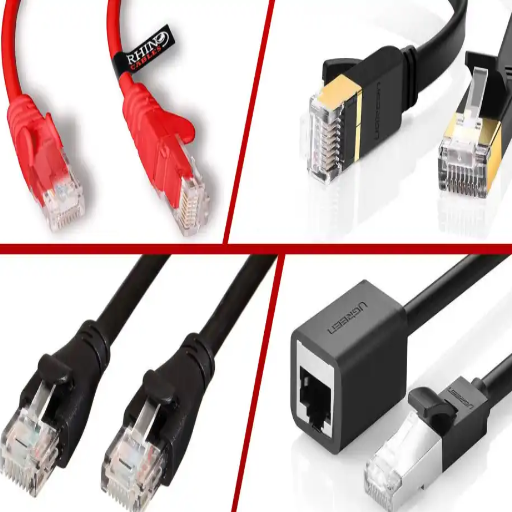
Ethernet cables have customarily been color-coded, serving as purpose flags within a network. Here is a brief description of common colors and common uses:
Standard Color Applications
- Blue: Generally employed for the so-called straight-through Ethernet connection, that is to say, server-to-switch or computer-to-switch connection. Denotes connectivity.
- Yellow: This color usually denotes a PoE loop that supplies power as well as data to devices like IP cameras, VoIP phones, and wireless access points.
- Green: Green is usually associated with crossover cables, such as direct connections between two computers without passing through a switch or hub.
- Gray: In many traditional office settings, these are used for the patch cable and Ethernet cable for general use.
- Orange: Sometimes indicates telecom applications or backbone connections in larger network infrastructures.
- White or Black: Typical setups in homes or hushed office settings, where neutrals really must blend into the environment. Either may be the common type of Ethernet cable, or more peculiar to a certain piece of equipment, like a printer.
Functionally speaking, color does nothing for the cable itself, but in network management, these colors help to expedite by identifying cables with just a glance when trying to do troubleshooting.
Using a Red Ethernet Cable: Significance and Usage
This red cable is usually meant for important connections within a network: servers, firewalls, and other very critical infrastructure, where uptime and reliability must come first. The colors are most important for the network admins to quickly identify the problem for fast troubleshooting or maintenance. Though it is quite common for red cables to be used for such purposes, no standards exist, and certain roles may be labeled differently by each organization. For correct and uniform application to network layouts, always refer to your organization’s color-coding standards.
Crossover vs. Straight-Through Cables
Crossover and straight-through cables are two types of Ethernet cables considered for very different networking purposes. A straight-through type of cable is the most commonly used Ethernet cable and is intended to connect different types of devices, e.g., a computer to a switch or a router, whereas a crossover cable would connect similar devices without involving any intermediary devices, e.g., computer to computer or switch to switch.
The main difference comes in the wiring. Straight-through cables use the same wiring standard (either T568A or T568B) on both ends, whereas for a crossover cable, one end is wired to T568A and the other to T568B. Nowadays, thanks to the use of Auto-MDI/MDIX, the need for crossover cables has greatly decreased because the devices automatically adjust their configuration depending on the connection. Nevertheless, it is still useful to understand the difference when dealing with some older equipment or manual configurations.
| Cable Type | End 1 Wiring | End 2 Wiring | Primary Use |
|---|---|---|---|
| Straight-Through | T568A or T568B | Same as End 1 | Different device types (PC to switch) |
| Crossover | T568A | T568B | Same device types (PC to PC) |
How to Identify Different Ethernet Cables
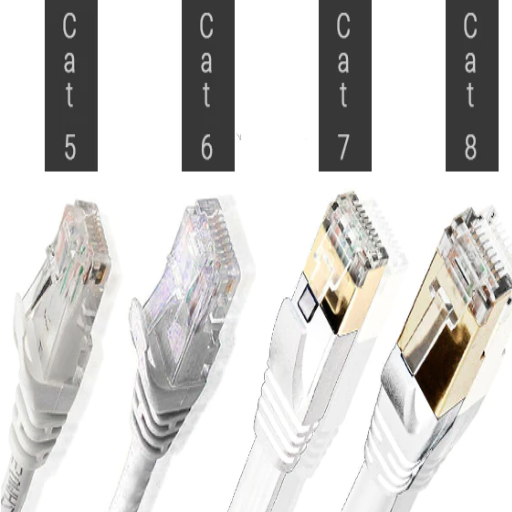
Ethernet wires can be identified by looking at their physical structure, specifications, and markings. Usually, one of these markings with the category number is printed along one side of the cable jacket. The highest category cable is in terms of speed and interference, such as Cat6, Cat6a, etc. Also, note the thickness of the cable; where the higher category cables are usually thicker with plenty of shielding (STP) for protection against electromagnetic interference, the lower category cables are generally unshielded (UTP).
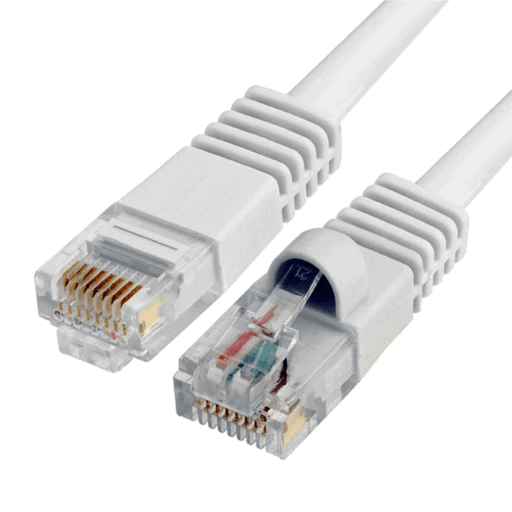
The main way to distinguish cables by connector types is to see if they have RJ45s or not. Ethernet cables almost always have RJ45 connectors, though the wiring standard may vary (T568A or T568B). Check the color arrangement of the wires inside the connector and compare it to the wiring charts to see the difference. In the case of crossover cables, one end is wired following T568A standards, whereas the other end is wired using T568B. This is not so for straight-through cables, which will follow the same wiring standard on both ends.
Practical Applications of Ethernet Cable Colors
Ethernet cable colors are widely used to identify the intent or purpose during installation and maintenance. For instance:
- Blue cables may be employed for generic or standard network connections.
- Yellow cables designate POE applications.
- Crossover cables may sometimes be green.
- Gray cables are used in infrastructure or office-related premises.
- Orange or red colors designate a critical or high-priority connection.
By following these color conventions, technicians can instantly identify the various types of connections they will be working with, thus speeding up the process and minimizing errors during installations and troubleshooting. However, these color conventions are not fixed across organizations since there is no agreed-upon universal standard that specifies Ethernet cable colors.
Various Ethernet Configurations and Their Color Codes
Almost every Ethernet connection setup uses its own color codes to ease network management and distinguish connection types, roles, or priorities. Blue cables are normally assigned to terminal servers or network connections, while yellow cables are assigned to connecting access points or other powered devices. Green cables will be for crossover cables, with gray for any generic connectivity.
The previously described red cables could rarely be for infrastructure or a higher-priority connection, depending on the organization’s policies. Black cables can indicate equipment interconnects, with purple cables sometimes reserved for VoIP systems. That said, color assignments are mostly not standardized and vary with organizations.
To achieve the above result, referencing the documentation elaborated on and maintained within your organization or accepted industry standards like ANSI/TIA-606 can help with accuracy and may, at times, ease the confusion in troubleshooting or deployment.
Best Practices for Wiring Ethernet Cables
Ethernet Cable Installation Best Practices: Achieving Reliability and Minimizing Possible Problems:
- Follow the Correct Wiring Standards: Always wire according to T568A or T568B industry standards in order for the wiring and cable transmission to work fine. The T568B is often used for commercial purposes, though it is important to have consistency throughout the network.
- Maintain Proper Cable Management: Do not bend or kink the wire, as this will, in time, degrade signal strength. Employ cable organizers, zip ties, or Velcro straps to keep cables neat and from tangling.
- Keep Cables Away from Electrical Disturbance: Keep Ethernet cables away from power lines or any equipment that might induce EMI, such as fluorescent lights or motors.
- Observe Length Limits: The length of the Ethernet cable should not exceed 100 meters (328 feet). Anything above this may cause attenuation of the signal.
- Test and Label Cables: On making connections, carry out the testing of cables with a network cable tester to see if the connections are proper or not. Each cable should be labeled for easy maintenance and troubleshooting.
- Choose the Correct Category of Cable: Select Ethernet cables matching the speed requirements of the network; usually, Cat 5e, Cat 6, or Cat 6a would do the trick, supporting higher bandwidth and reducing crosstalk.
Following these best practices, an infrastructure can be built for a dependable, effective network that reduces errors and maximizes connectivity.
Troubleshooting Ethernet Cable Issues
Common Problems and Solutions
No Connectivity:
Cause: Loose or damaged connections.
Solution: Kipping the connections secure, inspect all the cables for physical damage, and change any damaged cables.
Slow Network Speeds:
Cause: Mismatched cable category or electrical interference.
Solution: Use cables that correspond to your network speed needs (for example, either Cat 5e or Cat 6 for higher speeds) and consider removing sources of electrical interference.
Intermittent Connection Drops:
Cause: Bad ports or cable wearing out each time.
Solution: Test the connections using an Ethernet tester and eliminate cable defects by swapping cables or using different ports.
Crosstalk or Signal Degradation:
Cause: Poor shielding of the cable or improper installation.
Solution: Use good-quality cables with proper shielding, and avoid laying cables near power lines.
Incorrect Network Configuration:
Cause: Misconfigured devices or wrongly connected cables.
Solution: Ensure the device settings are correct and that the cables are correctly labeled and connected to the respective ports.
Common Problems Related to Cable Color Codes
Cable color codes are indeed essential for the installation and maintenance of networks or electrical systems. The ignorance of reading or observing these cable color codes can cause the following problems:
Wrong Connections:
Problem: Making wrong connections during installation by ignoring color codes may result in system malfunction.
Solution: Always follow corresponding standard codes, such as TIA/EIA-568 for Ethernet cable or local electrical codes for wiring systems.
Troublesome Troubleshooting:
Problem: Non-observance of the color code poses questions in identifying points of faults or points of damaged cables, thus time-consuming during troubleshooting.
Solution: Proper labeling and adherence help in following color codes for easy and quick diagnosis and repair.
Crossing of Wires or Short Circuits:
Problem: When the instructional manual is misread or the colors are ignored by mixing these wires, in telecommunication systems, signals may be crossed; whereas, in electrical systems, a short circuit can happen with dangerous consequences.
Solution: Double-check all connections against approved drawings and color code standards before energizing the system.
Systems reliability, safety, and ease of maintenance depend upon the proper color codes being followed. Always refer to standards and best practices relevant to your region or industry to prevent any errors.
How to Fix Wiring Errors in Ethernet Cables
For any wiring error found in the Ethernet cables, the wire sequence is checked against either the T568A or T568B wiring standards based on job requirements. If the sequence is wrong, I would cut the connector off very carefully, strip the cable jacket, and realign the wires in their proper order. With the crimping tool, I then crimp a new RJ45 connector and test the cable using a network cable tester to ensure proper connectivity. This is how I ensure the working of the cable.
When to Replace Your Ethernet Cable
Before giving that final decision to replace or not, Les vies utiles asks when Ethernet cables should be replaced to maintain the connectivity of the network. If a cable gets physically damaged, frayed, cut, or exposing its wires, it could make an interrupted connection. Besides, if your internet or device connection gets suddenly slow or intermittent in nature, possibly that cable is at fault or too old to bear the speeds of today.
An old cable like CAT-5 will not support higher speeds or newer technologies, so an upgrade is warranted to a CAT-6 or CAT-6a type. Also, if an Ethernet connector gets loose, engineering damage to the connector, further weakening of the connectivity will be experienced; this is a sign to replace the cable. Finally, if you have performed all the standard troubleshooting tests on the network and looked through the possibilities, including the router or the modem, then it’s probably the Ethernet cable causing the hiccups, and it must be replaced.
Ensure your new cable meets the speed and bandwidth requirements to future-proof the setup. Having the cables periodically inspected and tested will do the cables a world of good, as it can help avoid prolonged connectivity issues.
Reference Sources
“Design optimization of pressure-sensing floor for multimodal human-computer interaction”
“Leveraging Digital Forensics in the Age of Smart Grids”
Frequently Asked Questions (FAQs)
What is the Ethernet Cable Color Code?
The Ethernet cable color code is a means of describing the color combination as used in the wiring of Ethernet cables in an RJ45 connector. To a network administrator, knowing these color codes is very important to make proper connections and ensure that the function will take place. The common standards are T-568A and T-568B, which describe the order of the colored wires in the cable.
Why Are Ethernet Cables Different Colors?
Ethernet cables are of varying colors in order to distinguish the wiring grouping and functionality. The application of colors in this system enables easier management and troubleshooting of network connectivity problems by network administrators. Usually specified in different colors, we might find red cables serving other purposes than blue ones.
How to Make a Crossover Ethernet Cable?
In order to make a crossover cable, one has to mutate the standard layouts between T-568A and T-568B. The orange wire pair on one end must be swapped with the green wire pair on the other end, allowing an Ethernet device to directly connect to another Ethernet device, bypassing the need for a switch or hub.
What Are Typical Ethernet Cable Colors?
Blue, yellow, green, red, etc., are all amongst the typical colors. Each color combination may serve a different function in the setup. Blue, for example, is usually assigned to a standard cable or trunk; sometimes, however, a yellow or red Ethernet cable is dropped in to indicate a special purpose or function.
How Do Network Administrators Use the Color Coding for Ethernet Cables?
The network administrators use the color codes of Ethernet cables to identify and keep track of network connections. Assigning a color per type of connection or device allows them to troubleshoot quickly and ensure that cables are connected properly according to an established standard.
What Happens if Ethernet Cables Are Modified Improperly?
They may cause problems on the network if the modifications are wrong. For example, the wrong pinout can cause communication failure. It is very important that connectors and cables are modified following the standards to prevent potential network performance problems.
When Should You Use a Crossover Cable Instead of a Straight-Through Cable?
Use a crossover cable when connecting two Ethernet-enabled devices directly to each other, such as two computers without a switch. Straight-through cables are ordinarily used in the connection of devices like computers to a switch. Understanding when to use which cable is essential for a good network setup.
How to Check the Color Orientation of an Ethernet Cable?
The color orientation of an Ethernet cable can be checked by giving it a visual inspection by checking the wiring at the two ends of the RJ45 connectors to confirm that the colors conform to the specified wiring standard, i.e., either T-568A or T-568B. This is a crucial step to ensure good network connectivity and to pre-empt potential connectivity issues.
What are the Differences Between T-568A and T-568B Standards?
The T-568A and T-568B are the standards for wiring configuration in an Ethernet cable. The other things being constant, the inversion of color order in one of the pairs renders the devices incompatible. However, network administrators should remember that these differences exist in order to ensure proper functioning of the network.