






Having the right Ethernet cable can make a real difference in achieving the most efficient network setup quickly. With innumerable varieties available, finding the best quality Ethernet cable for your particular needs and style can be tricky. Whether it’s the gamer trying to get a quick connection, perhaps a professional working from home and taking full advantage of their time, or maybe people wishing to optimize raw internet speed, knowing Ethernet cable key features and differences is paramount. This guide will walk you through everything you need to know to make an informed choice, to help you maximize your network to its fullest potential without any confusion or mix-up.
Understanding Ethernet Cables
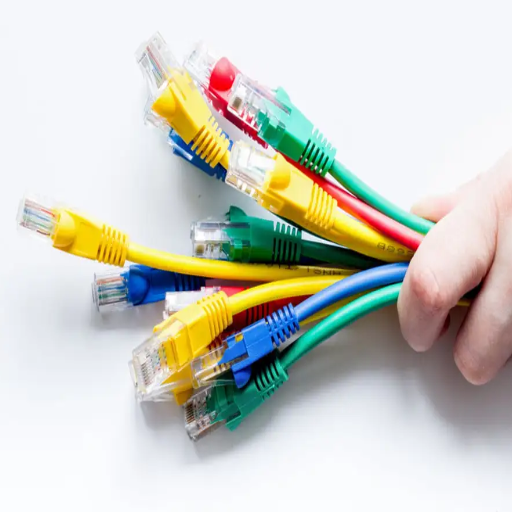
The Ethernet cables connect devices like computers, routers, and modems to a network for high-speed, stable data transmission. They are categorized as Cat5e, Cat6, and Cat6a. The highest category would contain data in the highest speed over the largest distance. A Cat6 cable is generally enough for home and office setups. It can take up to 10 Gbps and reduce interference. Always make sure the cable you are buying matches your internet speed and networking needs.
What is an Ethernet Cable?
Ethernet Cable is a common term for kinds of networking cables used to join various devices, such as computers, routers, and modems, within a given area. Wired communication ensures the best speed, security, and stability in data transfer. Ethernet cables are extremely good at securing your internet access and ensuring fast communication between your devices.
Key Benefits of Ethernet Cables:
- Superior speed and stability compared to wireless connections
- Enhanced security for data transmission
- Reduced latency for gaming and real-time applications
- Reliable performance in high-interference environments
The categories of Ethernet cables range from Cat5 to Cat8, with each higher offering better performance. As an example, Cat5e operates at 1 Gbps speed and 100 MHz frequency and is best suited for casual home networking. Cat6 and Cat6a cater to more serious online networking needs and operate up to 10 Gbps speed with 250 MHz frequency over 55 meters for Cat6 and 500 MHz frequency over 100 meters for Cat6a. Cat7 and Cat8 are designed for best-of-breed networking, operating at speeds of 40 Gbps, while Cat8, with a 2000 MHz frequency, is intended for data centers and highly performant networking.
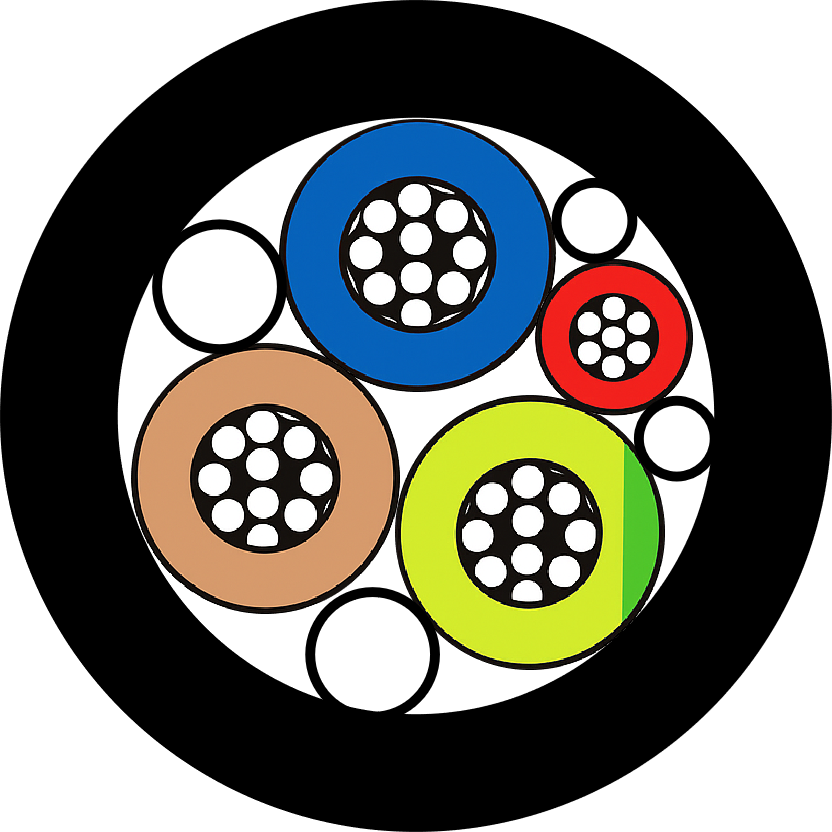
An Ethernet cable either has shielding or is unshielded to account for interference. Shielded cables (STP) come in handy in environments that allow electromagnetic interference to creep into the system, including manufacturing plants. Unshielded cables (UTP) are fine for most homes and offices. Choosing an Ethernet cable suitable for speed, distance, and environment is very critical to enjoying optimum network performance.
Ethernet Cable Categories Explained
Ethernet cables fall into certain classes, each providing a different level of performance concerning speed, bandwidth, and shielding to accommodate various networking scenarios. Here is a detailed description of the most common ones:
| Cable Category | Max Speed | Bandwidth | Max Distance | Best Use Case |
|---|---|---|---|---|
| Cat5e | 1 Gbps | 100 MHz | 100 meters | Basic home/office networking |
| Cat6 | 10 Gbps (55m) 1 Gbps (100m) |
250 MHz | 100 meters | Modern home/office networks |
| Cat6a | 10 Gbps | 500 MHz | 100 meters | High-interference environments |
| Cat7 | 10 Gbps | 600 MHz | 100 meters | Professional/enterprise networks |
| Cat8 | 25-40 Gbps | 2000 MHz | 30 meters | Data centers/server connections |
Cat5 and Cat5e
Cat5 cables were among the earliest standards that allowed a maximum data rate of 100 Mbps under a frequency of 100 MHz. Later on, Cat5e took over as an enhanced version to minimize interference and improve data integrity. It supports speeds of 1 Gbps at 100 meters of distance and is suitable for most home and small business networks.
Cat6
In Cat6 cables, shielding is improved and twists are tighter as compared to Cat5e, resulting in less crosstalk and electromagnetic interference being the result. They support 1 Gbps speed at a bandwidth of 250 MHz over the full length of 100 meters, with the advantage of also sustaining 10 Gbps speed but over shorter lengths of up to 55 meters. This is the most commonly used type of cable for home and office networking today.
Cat6a
The a stands for ‘augmented.’ It essentially doubles the bandwidth to 500 MHz, and the Cat6a cable can maintain 10 Gbps speed at full 100 meters. With added shielding, Cat6a stands as a perfect shield in high-interference areas such as industrial and data centers.
Cat7
Cat7 cables are rated for 10-Gigabit speeds over 100 meters with 600 MHz bandwidth. They have additional shielding, and their connectors are usually GG45 or TERA, backward-compatible with RJ45. This is best used in professional environments for high-performance networking.
Cat8
This is certainly the newest and highest-performing Ethernet cable category ever. It supports staggering speeds of 25 Gbps and 40 Gbps up to 30 meters with a bandwidth of 2000 MHz. Its shielding ensures complete elimination of crosstalk, making it apt for data-center naive and server-to-server communication demands.
Cat5e vs Cat6: Which is Better?
When choosing between Cat5e and Cat6, it is important to consider their performance and ability to future-proof a network. For instance, Cat5e, which means “category 5 enhanced,” can offer 1 Gbps and a frequency of up to 100 MHz. It is used widely for home and small-business networks and has enough power to do basic tasks like streaming, video conferencing, and file sharing.
Cat5e Advantages
- Lower cost
- Sufficient for basic networking needs
- Widely compatible
- Easy to install
Cat5e Limitations
- Limited to 1 Gbps speeds
- Less future-proof
- More susceptible to interference
- Lower bandwidth capacity
The Cat6 cable supports more advanced features by means of connecting at 10 Gbps at a distance of up to 55 meters, operating at a frequency of 250 MHz, which causes a decrease in crosstalk and better performance in a high-interference environment. Cat6 cables are built under strict specifications, often with thicker insulation and better shielding, providing greater durability and signal integrity.
Cat6 Advantages
- Higher speeds (up to 10 Gbps)
- Better interference protection
- Future-proof for emerging applications
- Superior signal integrity
Cat6 Limitations
- Higher initial cost
- Thicker cable (less flexible)
- 10 Gbps is limited to shorter distances
A certain key attribute that distinguishes the two relates to their ability to deal with future potential network bandwidth demands. While Cat5e is inexpensive and fits well for today’s basic networks, Cat6 is faster, offers less latency, and supports advanced applications such as virtual reality, augmented reality, and high-definition media streaming. Hence, it is usually advised that Cat6 should be used by the majority of homes and offices expecting to develop their network for scalability because of its long-term advantages as internet speeds grow along with connected devices.
Cost weighs in on the considerations. Cat6 cables generally come at a higher cost than Cat5e cables, but one may consider that, with regard to an environment in which high levels of performance are demanded, the Cat6 cables make a better claim to return on their investment over time. One is better suited depending on the requirements existing for one’s own network now and how much one wishes to prepare for potential future upgrades. If high-speed data transfer and better interference protection are a goal, then the winner must be Cat6.
Cat7 and Cat8: The Next Generation

From an Ethernet technology standpoint, Cat7 and Cat8 cables are cutting-edge with unmatched performance toward having advanced networking needs. Cat7 cables, Class-F type, are designed and developed to support transfer speeds of 10 Gbps for 100 m of distance, and the bandwidth capacity is 600 MHz. It is constructed with shielded twisted pair (STP) that has an additional protective layer against electromagnetic interference (EMI) and interference generated due to another nearby cable (crosstalk), making it preferable in crowded locations or in an area with high EMI interference.
On the other hand, Cat8 goes a little beyond that. Classified as Classes I and II, these cables support transmission speeds of up to 40 Gbps but at a much shorter distance, i.e., below 30 m. It is shown in the chart with a tremendous bandwidth capability of 2,000 MHz, well-suited for data center and other high-performance instances. Both Cat7 and Cat8 provide shielding for signal integrity; hence, both are truly trustworthy in almost demanding setups.
While Cat7 cable is still analyzed for standard home and office network future-proofing, Cat8 is meant to scale the harsh requirements of a commercial-size setup and emerging technologies such as 5G infrastructure and large-scale cloud computing. Cat8, on the other hand, is considered costly and is used for instances where Cat8 is required. Keep in view the peculiar needs of your environment to determine which of these next-generation cables will suit you best.
Patch Cables: When to Use Them
Patch cables wire residential and commercial networks, providing flexibility and reliability for different configurations. Generally, these cables serve to link endpoints such as computers, servers, or network switches to patch panels or outlet jacks in a structured cabling setup. The primary advantage of patch cables is that they offer an easy plug-and-play solution that requires minimal installation time and has a low chance of hindrance.
Common Patch Cable Applications:
- Data center server-to-switch connections
- Home entertainment system connections
- Office workstation networking
- Gaming console connections
- Temporary network setups
Patch cables are excellent for shorter connections. For instance, in data centers, patch cables are vital for connecting high-powered servers and switches when space is less and signal clarity is of utmost importance. This shall minimize crosstalk and EMI (electromagnetic interference), thus ensuring smooth and uninterrupted data flow of high-speed protocols such as Cat6a and Cat8.
With the modern patch cables being available in different lengths and shielding options, they support the speed of 40 Gbps and 2000 MHz bandwidth, making them suitable for very demanding environments. For example, Cat6a cables suit gigabit connections well, whereas Cat8 patch cables support top-end applications like 25G and 40G networks. Further, through patch cables, in-house uses include connecting devices such as game consoles, smart TVs, or routers for better network stability and performance.
Selecting the patch cables correctly in terms of length, type, and shielding is vital if one intends to retain signal integrity and guarantee that the network remains reliable over time. Recognizing the particular requirements of your application will help you with the necessary information, thus facilitating making an educated decision when choosing these indispensable network constituents.
Cable Shielding: Importance and Benefits
Shielding of cables is the utmost important part to ensure signal integrity and guard data transmissions against external interference. Shielded cabling, such as Shielded Twisted Pair (STP) and Foil Shielded Twisted Pair (FTP), acts specifically to minimize incidents of electromagnetic interference (EMI) and crosstalk that may compromise signal quality. This is crucial, whereas in an environment plagued with electronic noise, e.g., an industrial environment or an office with numerous active devices.
| Shielding Type | Protection Level | Best Environment | Cost |
|---|---|---|---|
| UTP (Unshielded) | Basic | Home/quiet offices | Low |
| STP (Shielded) | High | Industrial/high-interference | Medium |
| FTP (Foil Shielded) | Very High | Data centers/critical applications | High |
EMI-induced errors, packet losses, and network downtimes are consequences observed in recent findings in unmanaged EMI environments, wherein the data transmission can be 30% slower. Shielded cables can, in fact, eliminate such problems due to their extra layers of protection that prevent any interference from jeopardizing signal transmission integrity. Aluminum foil shields can, for instance, offer great EMI reductions and thereby help in improving the overall reliability of cable performance in different environments.
Besides that, since these cables are thicker and more rugged, extra durability and resistance to physical harm are added to the product; this makes shielded cables suitable enough for scenarios that require enhanced reliability, such as in critical healthcare arenas, financial networks, and sensitive servers working in dense environments. UTP cables would usually be good enough for an average office environment, but shielded cabling is an absolute requirement for the high-performance world and for EMI-sensitive industries.
Copper vs Fiber: Which Cable to Choose?
While selecting either copper or fiber optic cable, it is essential to keep several factors in mind, including speed, bandwidth, distance, cost, durability, and application requirements.
Speed and Bandwidth
Fiber optics, on the other hand, can transmit data at very high speeds, with the rate being 100 Gbps or more in some instances. Alongside enabling much wider bandwidths, fiber networks are an optimal choice for bandwidth-heavy applications such as large data centers, video streaming, and 5G networks. Copper cabling is usually limited to 10 Gbps at best and is more common for low-key environments.
Distance
Fiber optic cables suffer very little signal loss while transmitting over great distances; for example, single-mode fiber can transmit over 10 miles (approximately 16 kilometers). Copper cables, on the other hand, have a maximum distance of usually 100 feet due to signal loss caused by resistance and EMI.
Cost
Generally, copper-based cables cost less initially compared to fiber, especially for shorter distances or smaller installations. The fiber, however, has been dropping in price over the years, and with its longer life and less maintenance, it can be cost-beneficial in certain applications over time.
Durability and Reliability
Fiber optic cables are more resistant to EMI, weather, and interference-type impediments. Such features make them a better option in demanding environments. Copper cables are sturdy by design but more likely to get interference, and thereby require a form of shielding where EMI is severe, posing further installation complications.
Applications
Copper cables are still great for home users, small businesses, and legacy systems based on affordability and ease of installation. Fiber optic cables, however, are fast becoming a go-to for high-speed internet services, cloud computing, and infrastructural upgrades for future wireless applications in the telecommunication and healthcare industries.
Finally, which choice between copper and fiber will depend on the special requirements of the project. Data needs, budgets, installation complexities, and requirements
Factors to Consider When Buying Ethernet Cables
Several factors are key to consider when buying Ethernet cables with regard to compatibility, efficiency, and long-term durability.
1. Cable Category and Speed Requirements
Ethernet cables are advertised, constructed, and sold against performance standards and specifications, such as Cat5e, Cat6, Cat6a, and Cat7. Cat5e cables support speeds of up to 1 Gbps and a bandwidth of 100 MHz and are therefore perfect to use in a simple home or office network. However, Cat6 and Cat6a cables support speeds up to 10 Gbps at 250 MHz and 500 MHz bandwidths, respectively, so they are much in demand for use cases with high speed, such as online gaming and 4K streaming. Cat6a or Cat7 should be procured for future-proofing considerations owing to their advanced capabilities with less interference.
2. Protection from Interference and Shielding
Because of crosstalk and electromagnetic interference, EMI may attack signal quality. STP cables are available to reduce interference and are thus a must in high-level, noisy electronic environments. UTP, on the other hand, being more cost-effective than STP cables, is more suitable in comparatively calm environments, such as residences. A thorough assessment of the environment in use should be performed to weigh the two options in detail.
3. Cable Length and Attenuation of the Signal
The Ethernet cables’ length limits influence their performance. For example, Cat5e and Cat6 cables usually maintain the highest integrity of their signals for distances up to 100 meters. Any extension beyond that can lead to the stage of signal degradation. For long runs beyond this length, it would be necessary to consider Ethernet extenders or a switch. Pre-measure and plan in detail honest client goes a long way.
4. Durability and Build Quality
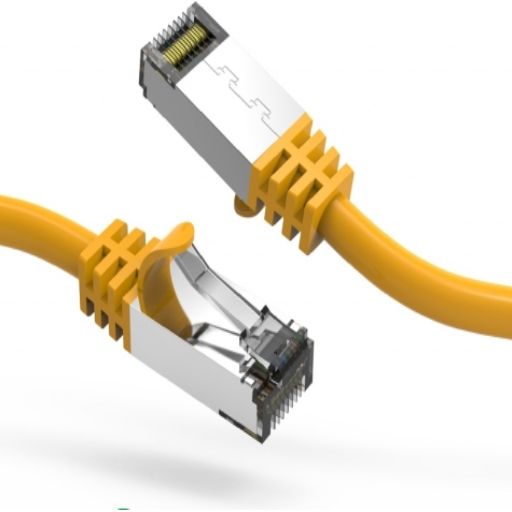
Since the build quality of a cable defines its durability, go for cables with the most robust RJ45 connectors and outer jackets, especially if you plan to subject them to extreme conditions or heavy usage. In the case of outdoor installations, waterproof Ethernet cables that are resistant to UV and moisture are your preferred choice.
5. Compatibility with Devices
The Ethernet cable you choose must also be compatible with your devices (routers, switches, network interface cards, etc.). Some newer devices may require high-category cables for maximum utilization, so check your manufacturer’s specifications to ensure that the cable you choose is in line with your hardware.
6. Pricing Against Future Scalability
Higher-category cables, while costing more initially, tend to perform better with longevity. Cat6a or Cat7 cables would therefore be an investment for those anticipating heavy data load in the future, saving them from premature upgrades.
With these factors considered carefully, a well-informed look can be taken regarding what suits a network’s current and future dimensions.
Best Practices for Ethernet Cable Installation

Proper installation is crucial for maximizing the performance and longevity of your Ethernet cables. Following industry best practices ensures optimal signal integrity and reduces the likelihood of connection issues.
Plan the Cable Layout
Map cable routes so that cable length is kept at a minimum, and unnecessary bends or kinks are kept at bay. Keep cables away from power lines so that they don’t undergo interference.
Use Proper Tools and Materials
Use good-quality cables, connectors, and installation tools meant for Ethernet. A cable tester should be bought to test the connections.
Proper Cable Management
Make sure the cables are secured with cable ties or mounting clips and are not stretched. Keeping cables neat will also stop nefarious tangling and will ensure easier maintenance down the line.
Bend Radius and Tension Specifications
There should be no sharp bends in the cables, nor should they be pulled with excessive force, as the internal wiring may get damaged and good performance may be compromised.
Label and Document the Setup
All cables should be properly labeled, while the network layout is documented professionally for easier troubleshooting and upgrading.
Adhering to all the above methods will build a well-working and continuing Ethernet, capable of supporting long-term performance.
Maintaining Your Ethernet Cables
The maintenance of Ethernet cables is important in ensuring stable connectivity over a long period and hence extending the lifespan of the cables. Poor maintenance of the cables results in signal loss, degradation, or complete network failures. Here are some maintenance essentials so that your Ethernet cables remain in perfect working condition:
Check for Damage Regularly
Visual inspection should be carried out regularly to spot any signs of damage, such as a frayed jacket, exposed wiring, or a bent connector, since damage could cause intermittent connection failures and hence should be replaced without any delay to avoid disruption. According to industry data, improper maintenance of cables results in a huge percentage of network failures in both home and commercial environments.
Heat and Sunlight should not be an Option
High heat and UV rays are detrimental to the outer insulation of Ethernet cables, especially if they are laid out outdoors or close to heat sources. Hence, consider a UV-resistant cable when working outdoors, or a protective conduit to shelter the cables from environmental stress.
Tidy Up Excessive Cable Length
Tying up the cables is not just for aesthetics; excessive cable length can harm network performance due to the increased electrical resistance. Ethernet standards specify a maximum cable length of 100 meters (328 feet) for Cat5e, Cat6, and Cat6a cables. Keeping your cables the proper length will minimize needless signal attenuation and maximize data transfer rates.
Clean Connectors and Ports
Dust and debris or oxidation on the connector or Ethernet port might lessen connection quality. Wipe with a soft, lint-free cloth or canned air from time to time. A clean port and connector mean enhanced signal integrity and lessened connection drops.
Bundle and Secure Cables
Arrange and bundle the cables using cable ties or clips, preferably with Velcro straps. Never over-tighten ties since they might crush the cables and hamper signal propagation. Organized cabling will not only look good but will also ease troubleshooting and reduce accidental disconnections.
The Ethernet cables, once maintained, will serve you for much longer, and, therefore, good maintenance translates to robust network performance and, by the way, incurs fewer repainting charges.
Future-Proofing Your Network Setup
An efficient and future-ready network demands scalable and forward-looking solutions. Begin the upgrades with the cabling, installing systems that allow for higher bandwidths and speeds. These include high-speed Cat 6A or Cat 7 Ethernet cables operating at speeds of 10 Gbps and frequencies of 500 MHz. Such cables are compatible with new applications, including ultra-high-definition video streaming and large-scale IoT deployments.
Future-Proofing Checklist:
- Invest in Cat6a or higher category cables
- Upgrade to Wi-Fi 6 or Wi-Fi 6E compatible hardware
- Implement network segmentation and virtualization
- Plan for increased bandwidth demands
- Consider software-defined networking (SDN) solutions
Along with modern cabling systems, the networking hardware should also be upgraded to the new standard. Choose routers and switches that support Wi-Fi 6 or Wi-Fi 6E standards. Wi-Fi 6 provides greater speeds, reduced latency, and efficient handling of a massive number of connected devices and hence, is suited for big smart homes and offices. Under heavy connection densities, Wi-Fi 6E makes the experience smooth by using the 6 GHz band, thus minimizing interference and providing additional channels for data transfers.
Also, consider segmenting the network and virtualizing it through software-defined networking platforms. These innovations will provide for flexible network architectures with central oversight that can be dynamically re-configured as changes are demanded. SDN is beneficial for increasing cloud adoption and hybrid working environments.
Industry data suggest that global internet traffic will nearly triple in the next five years, pushed by 4K/8K streaming advancements, cloud computing, and virtual reality. However, high-frequency cabling combined with high-tech hardware and smart management solutions will definitely put your network in an advantageous position to accept huge incoming demands with the least possible hiccups. Prioritizing future-ready technology means less need to keep frequent upgrades, allowing for long-term cost-efficiency and performance.
Cable Buying Guide
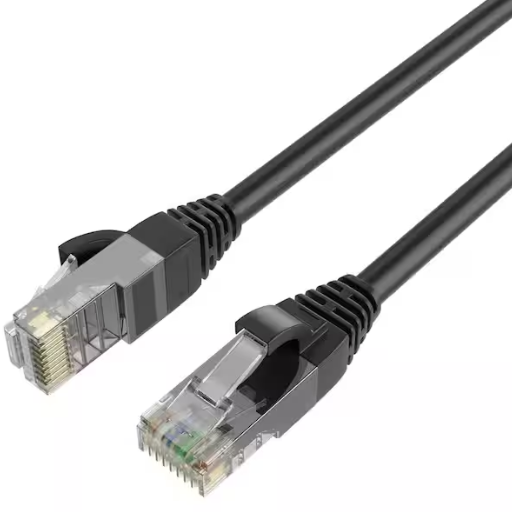
While buying cables, focus your attention on some key aspects to ensure compatibility and performance:
Cable Type
Decide on the cable you want on account of its purpose (Ethernet, HDMI, or USB). Ensure that it supports the function you require and the devices.
Length
Measure the distance between the devices; this will help you choose a cable long enough and not too long, considering the possibility of signal loss or unwanted clutter.
Quality and Durability
Always choose those with shielding and sturdy materials for long-life usage and in particular, for environments that see more rugged use.
Speed and Bandwidth
For any cable pertaining to networking or data transfer, check if the cable supports the speed or bandwidth you require (e.g., Cat 6 for Gigabit Internet, or HDMI 2.1 for 4K/8K Video).
Compatibility
Check to see if the cable is compatible with your devices, so you do not find yourself in a situation where they would refuse to connect (e.g., matching connector types and supported standards).
With these factors in mind, selecting cables becomes a simple and efficient task, ensuring all technical requirements are met without adding any further complications.
Where to Buy Ethernet Cables
Ethernet cables are available practically everywhere: online, at an electronics store, or at a general merchandise outlet. Online sites like Amazon, Newegg, and Best Buy offer the ability to compare options and read customer reviews. An electronics store or a general-merchandise store like Walmart or Home Depot has them if you want to buy in person. I would widen the selection online because of better prices; however, a store nearby would be a fine option if you have to get it immediately.
Recommended Purchase Channels:
- Online Retailers: Amazon, Newegg, Best Buy – Better selection and competitive pricing
- Electronics Stores: Best Buy, Micro Center – Expert advice and immediate availability
- General Retailers: Walmart, Home Depot – Convenient for basic cables
- Specialty Networking Suppliers: For professional-grade and bulk purchases
Understanding Ethernet Cable Specifications
Interconnecting cables and wires differ in categories that correspond to specific speed and bandwidth applications. Popular categories currently in use include Cat5e, Cat6, and Cat6a. Cat5e supports speeds of up to 1 Gbps and can satisfy general networking requirements, while Cat6 and Cat6a attend to faster speeds, with Cat6a zooming into 10 Gbps speeds under longer distances and less interference in comparison. When considering the purchase of a cable, pay attention to its shielding, i.e., STP (for superior interference reduction) or UTP (for flexibility), etc., and its length, considering that a longer cable may cause a slight performance reduction. Always use the type of cable that matches your network. It might seem trivial, but doing so accounts for the best peak performance you can have from the system.
Conclusion
Choosing the right Ethernet cable is crucial for optimizing your network performance and ensuring future compatibility. By understanding the differences between cable categories, considering your specific requirements for speed, distance, and environment, and following proper installation and maintenance practices, you can build a robust and reliable network infrastructure.
Whether you’re setting up a basic home network with Cat5e cables or implementing a high-performance data center with Cat8 cables, the key is to match your cable choice to your current needs while considering future scalability. Remember that investing in higher-category cables today can save you from costly upgrades tomorrow, making it a wise long-term investment for any network setup.
Reference Sources
Advancements and Challenges in Achieving Fully Autonomous Self-Driving Vehicles
Frequently Asked Questions (FAQs)
What is the best quality Ethernet cable for high-speed connections?
The best quality Ethernet cable for high-speed connections is usually the Cat 8 Ethernet cable. Ethernet cables run at speeds between 25-40 Gbps and are meant for use in data centers and high-performance computing environments. It is equipped with solid copper conductors and is recognized by the Telecommunications Industry Association for its outstanding performance.
How does power over Ethernet (PoE) operate through the Ethernet cable?
Power over Ethernet allows Ethernet cables to carry both data and power to devices such as wireless access points and IP cameras. This is particularly useful when installing new systems, as the bundle of Ethernet cables eliminates laying separate power cables and reduces power outlets.
What are some differences between standard Ethernet cables and Cat 6 cables?
Standard Ethernet cables, including the Cat 5e, support speeds up to 1 Gbps, and the Cat 6 maintains speeds up to 10 Gbps but only for short distances. Cat 6 cables have specifications for better cross-talk protection and perform better in this regard in those environments where interference is at its highest.
Why does the cable shielding need attention in an Ethernet cable?
Cable shielding is essential because it shields the data traveling through these cables against electromagnetic interference (EMI) and crosstalk. These types of shielded cables, such as those that use plenum-rated materials, should be used when they are to be installed in an electrically noisy environment.
What does using solid copper conductors indicate for Ethernet cables?
Solid copper conductors, with standardized lower resistance and hence better performance than copper-clad aluminum, are required for higher performance and multilevel connection speeds, especially in business applications with high demand.
Will I be able to grab standard RJ45 connectors and fix and attach a Cat 8 Ethernet cable?
Yes, you can go ahead and use standard RJ45 connectors for your Cat8 Ethernet cables. However, it is critical to make sure that the connectors used are rated for the higher performance specifications of Cat8, or you risk creating a bottleneck within your Ethernet network.
What further advantages do Cat 7 cables have over Cat 6 cables?
Cat 7 cable performance is stronger in speed of up to 10 Gbps over longer distances and has stronger shielding against crosstalk. Cat 7 cables would be a fine choice for semi-professional wiring inside the building and environments requiring high-speed, reliable network connections.
What role does the Telecommunications Industry Association (TIA) play with Ethernet cables?
The Telecommunications Industry Association (TIA) provides the standards for various types of cables, including Ethernet cables. Their guidelines ensure that cables meet certain performance criteria so that consumers can choose the particular Ethernet cable type for their needs more easily.