







In the context of understanding energy usage at home, the question of how many amps a TV uses is often inquired about. TVs are the modern-life equivalent of entertainment, information, and connection. However, people rarely consider how much power their TVs use and whether it is to their benefit regarding energy bills or efficiency. These factors impact how much power a TV uses, and this blog will help you determine the amp rating of your device and offer practical tips for efficient TV watching. Whether you’re a tech enthusiast, a homeowner interested in monitoring expenses, or someone seeking to lessen their carbon footprint, this guide provides clear and useful insights!
Understanding TV Power Consumption
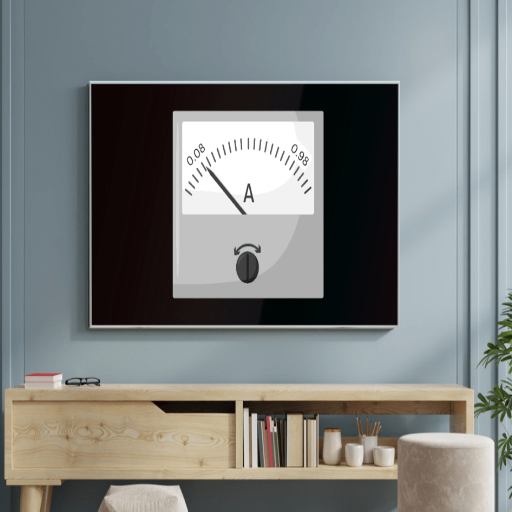
The TV draws power according to the factors mentioned, like the size of the screen, the display type, and actual usage. In fact, modern televisions keep a consumption rate of 50-150 watts while on, larger ones using more than a smaller LED-based set, and older ones compared to newer plasma sets. If one wants to find out the current in amperes used by the TV, please divide the value of its wattage by the voltage rating in your house, which is approximately 120 volts in the United States. Therefore, a TV of 100 watts will draw 0.83 amps (100/120=0.83). The simplest way to find energy consumption details is by an inspection of an energy label or the user manual of the TV.
What is Power Consumption?
In reality, power consumption means the amount of electrical energy drawn by a device to operate. It is commonly expressed in watts (W) or kilowatts (kW), depending on the usage scale. An understanding of power consumption will allow one to consider energy efficiency, reduce electricity bills, and limit further damage to the environment.
With the presence of modern appliances, various demands are placed upon them. An average LED TV consumes anything from 50 to 150 watts when running in use, while a refrigerator could use anywhere from 100 to 800 watts, if the size and efficiency rating were taken into consideration. On the other hand, larger appliances such as electric heaters and dryers will unleash power consumption upwards of 1500 watts.
Average household energy consumption varies greatly from place to place. For example, the energy consumption from U.S. homes is about 10,632 kWh per year on average, whereas in places less industrialized by electricity, this is much less. With energy-saving technologies, smart appliances, and the implementation of renewable sources of energy, power consumption is optimized, and so is the issue of dependence on fossil fuels. Intuitively, knowledge of wattage and ratings can lead a user to make energy-wise decisions.
TV Wattage and Amp Calculations
(For US households: Volts = 120V)
To familiarize the relation between TV wattage and amps, one must refer to the basic formula of electric currents: Amps=Watts/Volts. The voltage system in most U.S. household electrical systems is 120. So this said LED TV of 60 watts running voltage 120 will draw an amp of 0.5 (60 ÷ 120 = 0.5) approximately. In the same way, an OLED TV can draw around 1.0 amp if it is rated 120 watts.
Increased screen size or enhanced display technology like 4K or 8K resolution up the power requirements. For instance, a 75-inch 4K TV would arguably be a power hog, operating anywhere between 120 to 200 watts or so, which translates to about 1.0 to 1.67 amps. TV sets with high-brightness features or HDR generally still consume higher power, at least when set at maximum brightness levels.
How Many Watts Does a TV Use?
How much electricity the TV consumes is contingent upon the size, type, and technology. On average, modern TVs consume between 30 and 100 watts while in operation. For example, a 32-inch LED TV would require anywhere between 30 and 60 watts, whereas a bigger 55-inch LED TV would require anywhere between 60 and 100 watts. An OLED TV, known for having great picture quality, tends to consume a little more power; for example, a 55-inch model can absorb around 90 to 120 watts. There is a small bit of electricity used while in standby mode, but the average power consumption for standby is probably around 0.5 to 3 watts across the majority of models. TVs can be turned more toward energy efficiency by exploiting power ratings and relevant settings such as eco modes, brightness adjustments, and more.
TV Type Comparison: Power Consumption and Amps

| TV Type | Wattage Range | Amps (at 120V) | Energy Efficiency | Picture Quality |
|---|---|---|---|---|
| LED TVs | 30 – 100 watts | 0.25 – 0.83 amps | Excellent | Very Good |
| LCD TVs | 70 – 150 watts | 0.58 – 1.25 amps | Good | Good |
| OLED TVs | 100 – 200 watts | 0.83 – 1.67 amps | Moderate | Excellent |
| Plasma TVs | 150 – 400 watts | 1.25 – 3.33 amps | Poor | Very Good |
Energy-saving modes, such as eco or auto brightness control, can usually reduce power consumption by quite a bit and so lessen the current draw. Any consumer with the knowledge of this association can make a better choice of a TV with respect to the loading of household electricity or circuit capacity.
Comparing LED, LCD, and OLED TVs
Some considerations go a long way when opting between an LED, LCD, or OLED TV. LCD stands for Liquid Crystal Displays and is usually backlit by LEDs, making them a very energy-efficient and affordable option. LED TVs – a class of LCD TV – improve the brightness and dynamic range, or at least better than some older LCD models, thus providing somewhat better picture quality. Put simply, an OLED uses self-lit pixels to achieve perfect blacks, pure colors, and incredible contrast. Those same self-luminous pixels provide OLED displays with the widest viewing angles, though these displays can often be pricier than setting your eyes on an LED or conventional LCD. From an energy efficiency perspective, LED TVs might save a bit of power, but compared to OLEDs can be a bit expensive to run because of their advanced technologies. So, picture quality, budget, and energy consumption ultimately need consideration while making a choice.
65 Inch TV Power Usage
Depending on its type and technology, the power consumption of a 65-inch TV varies. On average, LED TVs ranging up to this size consume 60 to 150 watts of power, whereas those using OLED emit slightly more power, typically ranging from 90 to 200 watts. Plasma, less in use nowadays, situate power somewhere in the range of 150 and 400, hence hitting higher than the LED or OLED set.
The energy efficiency level varies greatly from one model to the next. The 65-inch televisions of today have been designed with enhanced energy-saving features such as automatic brightness adjustment and automatic standby modes, which decrease power consumption when the TV is not actively being used. To get the exact value of the cost of running your TV, find the value of wattage on the TV manufacturer’s label and record how many hours it is used a day, then take the product of the TV’s wattage, hours used, and the closest local electricity rates.
In the process of buying a new TV, consider only models that bear an Energy Star rating or similar certifications, guaranteeing that the product is energy-efficient without compromising on its functionality. Such a choice can mean huge savings in the long run, especially when it concerns 65-inch TV sets. Make sure to also look at and compare the energy consumption specifications before making your decision.
Factors Affecting TV Power Consumption
Several factors influence the number of amps a TV uses:
- Type of TV: Being an advanced type, an OLED generally consumes more power than an LED TV, thereby affecting the amps it uses.
- Screen Size: Bigger TV sets generally demand more power and thus more amp usage compared to smaller setups.
- Brightness Setting: High brightness levels may also increase the power consumption, thereby augmenting the amp usage.
- Usage and Features: Smart TVs with options for streaming or other always-on functions might be consuming a little more power.
- Energy Efficiency: Power modes that reduce usage, or the Energy Star rating, point to a TV that uses less power and thus less amp consumption.
Standby Power Consumption
Standby is basically an intentional sleep mode for the TV. Power is drawn during this mode to maintain some features like quick startup, background updates, and remote control signal detection. This power consumption during standby is often referred to as phantom load or vampire load.
A typical TV might draw anywhere between half a watt to three watts of standby power, depending on the TV model and features. More energy-efficient models, such as those carrying an Energy Star certification, mostly fall on the lower end of this scale. For example, a 55-inch LED TV may use half a watt during standby, whereas older TVs or those claiming to be “always-ready” with some sort of touchscreen may draw closer to three watts.
Impact of Features on Power Usage
Modern TVs are afforded all sorts of features, which are useful in the actual consumption of power. Higher resolutions, such as 4K or 8K, require a very high amount of energy since thousands of tiny pixels must be lit up. A 4K TV is considered to use somewhere around 60-100 watts during normal viewing, whereas an 8K TV can consume anything greater than 120 watts, depending on size and brightness settings. HDR (High Dynamic Range) is a technology that further boosts picture quality by increasing brightness and contrast, which ultimately consumes more energy.
Smart TV features like built-in streaming services and voice assistants are another area of energy consumption. These features require continuous processing and internet connectivity, thereby upping the consumption of much-cherished standby power from a normal 0.5-3 watts to a laudable 4-6 in some cases. Conversely, in the pursuit of better picture quality, newer technologies, such as OLED panels, use organic chemicals that get…energy-hungry, particularly at high brightness levels, unlike their LED TV counterparts.
To mitigate this impact, many manufacturers have energy-saving modes that pattern brightness based on disuse and reject features that have no application during such times. Meanwhile, consumers can apply some settings to save on power consumption, such as dimming the screen and turning off automatic updates. If users know how these features sap energy, they can decide when to accept the compromise between performance and efficiency.
How TV Settings Influence Electricity Use
Changing TV settings can definitely make a difference to energy consumption. Knowing the specifics can help a homeowner save on energy consumption or, in return, on their electricity bills. Energy saver modes, for one, available on a majority of recent models of TVs, can reduce consumption by 20 to 30%. While in such modes, the TVs usually dim the brightness of the screen to an optimal level or switch off features that consume power but are not needed at the moment.
There is also the television brightness setting. Unlike medium and lower brightness levels, TVs set to high brightness consume more power. A reduction in brightness could result in a 15% saving in energy consumption without much impairment of picture quality. While motion smoothing may be desired for watching sports or fast-moving images, it does place a heavier load on the processor and, consequently, the power supply. So, whenever possible, gimbaling should be turned off for additional energy savings.
Another factor that comes into play is the screen resolution: 4K TVs consume more power than HD TVs, mostly on account of their high processing requirements. On the other hand, most recent models are now furnished with technologies that help conserve power without compromising visual quality. A full power off, rather than standby, can save 5-10% of energy for a given TV.
Correctly accounting for the above, users can reduce electricity bills while getting much from their television. Such changes made in good faith towards energy conservation technologies will go a long way over time.
Energy-Saving Tips and Strategies
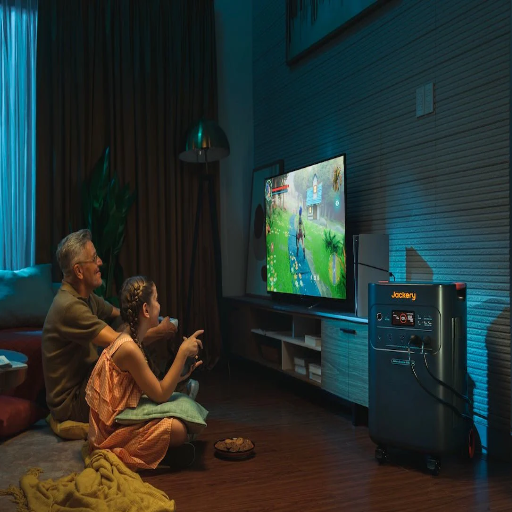
Adjust Brightness and Contrast
Usually, retail displays are set up with some very bright settings. Power drain can significantly go down if the TV is switched to calibrated or energy-saving mode.
Use Sleep Timer Functions
Nowadays, sleep timer functions get increasingly available on most TVs, where they ensure an automatic shutdown of the TV when there has been a established period of inactivity.
Turn Off When Not in Use
Try not to leave the TV on when nobody is in the vicinity. Off is more energy saving than standby.
Use Smart Power Strips
Connect with the power strip that has an on-off switch. You can cut all power to avoid energy being wasted in standby.
Audio-Only Mode
Some smart TVs let you turn off the screen when playing audio-only. This is great if you’re streaming some tunes or listening to a podcast.
Unplug External Devices
External devices are those such as game consoles or speakers, and if they’re not in use, unplug them to prevent their energy consumption.
Additional Power-Saving Tips
- Buy Energy-Efficient Models: When buying a TV, go for a very energy-efficient model, such as the one certified by ENERGY STAR.
- Unplug for Extended Periods: The longer the interval between uses, the better it is to unplug the TV to avoid being charged with standby power, commonly referred to as phantom load.
- Reducing standby power consumption: Ensure any energy-saving options are enabled, or use a smart power strip.
Using Smart Power Strips
New wave gadgets use their smart power strips to save energy from electricity wastage when the devices are technically off but drawing power. These strips keep power away from any devices in standby mode, which would otherwise accumulate phantom load consumption. They can be set with a timer, motion detection, or even through a mobile app-governing the time-based usage of energy as an instance. Smart power strips can accept input from devices such as gaming consoles, speakers, and chargers, and will shut these off when no activity is detected thereon. The smarter your home is with smart power strips, the simpler energy management, lesser electricity bills, and a greener lifestyle it will afford you.
Cost Analysis: Running Your TV
How Much Does It Cost to Run a TV?
There are several considerations involved in the calculation of running costs, and these include the wattage of the TV, the number of hours it is being used in any given day, and the electricity rates charged in your locality. The operating watts generally average between 80 and 400 in modern television sets, with LED TVs considered more energy-efficient in comparison to the older plasma versions.
(Based on 15 cents per kWh average U.S. rate)
A 150-watt TV running for 5 hours a day may cost anywhere from $2.25 per month under the assumption that the average rate of electricity stands at 15 cents per kWh in the U.S. The alternative expenses can be saved by either reducing the time of use or adjusting the brightness, or by procuring a more efficient Energy Star TV.
Power Backup Solutions for TVs
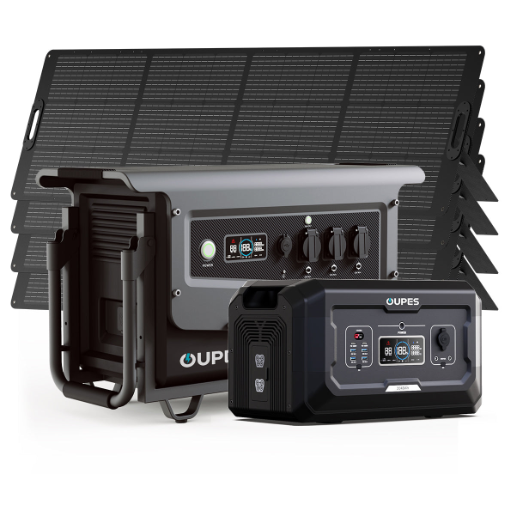
Understanding Power Stations and Backup Options
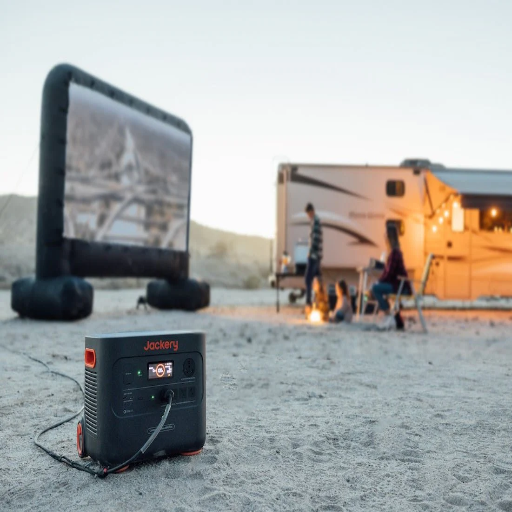
In the simplest terms, a power station is a method for generating electricity in case there is an outage or if the area has no access to the electric grid. Usually, these stations utilize batteries, most commonly being lithium-ion batteries for good reasons: these are very efficient and durable. Powering emergency devices like phones and laptops, or other small appliances, is possible with such a station, depending on its capacity rating. Generators are other options if you need to back up larger amounts of power; solar-powered portables are also great renewable energy solutions. The choice simply depends on power needs, availability of cash, and their choice of energy.
Using Portable Power Stations
Portable power stations are multipurpose units providing electricity under conditions that limit access to traditional electrical outlets. They have increased interaction with camping trips, emergency backups, or setting up for work in remote locations. While deciding on the apt portable power station, these factors need to be considered:
- Power Capacity: Depends on watt-hours (Wh), which tells how long the station can operate a device. For smaller purposes such as charging a cell phone, 150-300 Wh will suffice. Larger devices or appliances typically require higher power capacities, 500 Wh or more.
- Port Options: Modern portable power stations feature an abundance of output ports, i.e., USB-A, USB-C, AC outlets, and DC inputs, ensuring they are compatible with pretty much any gadget.
- Charging Methods: Most stations can be charged via a wall socket, a car, or solar panels. In solar-powered models, for extended trips or emergencies, this type of renewable energy system proves to be invaluable.
- Weight and Portability: If you want to move the power station during the day, then it should balance capacity with portability for easy transport.
- Battery Type: Lithium-ion batteries are the most common type; they possess a long lifespan and are relatively light. Conversely, LiFePO4 batteries are getting more popular owing to their added safety and durability features.
- Safety Features: Essential to make sure of safe operation are overload protection, short circuit protection, and temperature control.
To best utilize a portable power station, maintain the use of energy-efficient equipment, and recharge whenever eating batteries. If opting for one with solar extensibility, a potential source of renewable energy will be established, which helps to reduce dependence on traditional energy sources.
Power Outage Considerations for TVs
Power outages always make me think about the power usage of my television and whether my portable power station can manage it. I always verify the wattage of the TV and compare that against the power that the station can output. In terms of runtime, I go for the lower-energy settings: maybe the lowest brightness or an energy-saver mode. The power station’s utmost priority is a full charge before use; if extended power outages are anticipated, then another consideration is the pairing of the batteries with solar panels.
Optimizing TV Use Per Hour
In powertime, knowing how much power you use per hour on the TV helps justify it. To do this, simply find the exact wattage of the TV. This information is usually printed inside the user’s manual or can be found on the manufacturer’s website. New-age LED TV ranges between 30-100 watts; an older version usually consumes more watts. Then the wattage should be intellectually compared with what output power the portable power station can provide. Reduce brightness or turn on the eco mode, all of which can save about 30% of energy consumption. Keep it in standby as long as possible, or if you use a streaming device, switch it off when not needed, as some streamers can consume 10 watts of power even while idle! In extreme outages, you may keep on recharging the power station with your solar panels, or you could schedule TV use in selected time slots to save power for critical appliances.
Reference Sources
Frequently Asked Questions (FAQs)
How many amps does a TV consume in the normal scenario?
The capacity of a given television to consume amperes goes from 0.5 to 2, depending on the size and type of TV. For instance, consider a regular LED TV: it will consume somewhere between 50 and 100 watts, translating into 0.42-0.83 amps at 120 volts.
How much power does a 55-inch TV consume?
Typically, a 55-inch TV consumes between 100 and 180 watts, meaning that it will consume 0.83 amperes to 1.5 amperes. However, actual usage depends widely on the technology of TV in use: LED, plasma, etc.
What affects the power usage of a TV?
There are several factors that can interfere with the power used by a TV; they include: the size of the TV, display type – LED, OLED, or plasma – and the content being viewed. The more intense the image or video, the higher its requirements; hence, a TV setting, such as brightness, can also influence the power used.
How much does it cost to operate a TV for an hour?
To get the cost to run a TV for 1 hour, simply multiply the wattage by the electricity cost per kWh. Using an example: if your TV uses 100 watts and electricity costs $0.12/kWh, using your TV would cost roughly $0.012 per hour.
How do I check my TV wattage?
The rating label on the back of the television or the user manual usually carries wattage information. Many newer TVs will also show power consumption information in the settings menu.
Do smart power strips reduce the power consumption of TVs?
Yes, smart power strips help keep the power consumption of a TV down by disconnecting power to any devices in standby mode while the TV itself is powered off. This extra energy use is often called phantom energy, and using smart strips prevents it, thereby saving you a few dollars on your electric bill.
Can a portable power station work and power my TV?
If the Portable Power Station has a high watt rating, which supports the power requirement of the television set, it could power my television, but always check the power rating of the television and the specifications of the Portable Power Station.
How many amps does a plasma television draw as opposed to an LED television?
Normally, plasma television utilizes a little more power than LED television. On average, a plasma TV may consume 300 to 500 watts (2.5 to 4.2 amps), while an LED TV consumes somewhere between 50 to 200 watts (0.42 to 1.67 amps).