







Usually, one rarely asks, “How many amps does a gaming PC use?” This question remains imperative to understand adequately. Whether you’re trying to create an energy-efficient setup, ensure an adequate power supply for storage, or are simply interested in the electricity consumption of your high-performance machine, this topic is crucial for all gaming and PC enthusiasts. In this article, we will examine what determines the amperage of a gaming PC, how various components affect power consumption, and how understanding your system’s power requirements can help save money and ensure safe operation. Now, get ready to learn about and understand the primary influences of the energy drawn from your PC and how it impacts your gaming time.
Understanding Amps and Power Consumption
Cash-paying clients do not want to convert their money into electronic units. A reasonable amp consumption calculation takes into account the wattage consumption of the parts and divides by the voltage level of the power supply to get the amperage. For instance, a super-powerful GPU will consume so much electricity that the overall amperage rating must be raised.
A typical gaming PC draws between 5 and 10 amps, although this may fluctuate depending on the specs of the parts used and system upgrades. For an exact amperage, note your amperage written on the PSU label and add the watt requirements of your components. Having a properly rated PSU ensures the system operates smoothly without any power-related issues that may arise from an improper power supply. Always opt for a reputable power supply with ample wattage to meet your system’s needs, including any future upgrades.
What are Amps and How are They Measured?
Amps are the short form of amperes. This is the unit of measuring electric current, and it is the flow of electrical charge through a conductor. If we define it precisely, 1 ampere is defined as the flow of 1 coulomb of charge that passes any point in the circuit per second. This measurement absorbs most of the interest in power consumption and the capacity of electrical systems, for usually, a higher current means a greater energy flow.
To measure amps, an ammeter is used. It is connected in series with the circuit to allow the current to pass directly through it for accurate readings. For more precise measurements, digital multimeters are generally used, as they are also helpful in measuring other electrical properties, such as voltage and resistance. For higher currents, clamp meters are usually preferred, as they offer a non-intrusive means of measuring current flow by clamping around a conductor.
Household items and electronics that require a power aspect may need to display different amperage ratings. For instance, the average smartphone may require approximately 1-2 amps of charging. Refrigerators may require between 3 and 6 amps, or even more, depending on their rating and other features. A direct understanding of these demands is critical because it will allow ensuring that circuits are not overloaded, which might result in faults in electric machinery or hazards to life.
Importance of Knowing Amp Usage for a Gaming PC
Understanding amp usage for a gaming PC will enhance its performance capacity and safety, to some extent. Gaming PCs—especially those with very high-performance builds—require tremendous power to function their highly advanced components, including GPUs, CPUs, cooling, and high-speed storage. On average, a mid-range gaming PC might draw about 300-500 watts of power, equivalent to roughly 2.5-4.2 amps on a 120-volt line. Extreme systems with the utmost GPUs, such as the NVIDIA RTX 4090 or AMD RX 7900 XTX, can even exceed this requirement, pushing the 5-amp limit during peak performance.
Since the amp utilization is known, users can select a PSU with appropriate wattage and efficiency rating. For instance, a gaming PC requiring components that draw 550 watts should ideally have a PSU rated for at least 650 watts to accommodate power surges, thereby preventing any power issues from interfering with computer performance. Knowledge of amp consumption is also helpful in managing household circuits, ensuring the computer does not trip a circuit when combined with other devices, such as a monitor, router, or lighting.
Monitoring amp usage indirectly impacts energy efficiency and cost minimization. By considering energy-efficient components that are certified for minimal power consumption, one can reduce electricity bills without significantly compromising gaming performance. Understanding the basic requirements of amp-hours is thus essential for building and maintaining an efficient, stable, and secure gaming setup.
How Amperage Affects Energy Bills
Electricity costs are directly proportional to the power consumption; power is the product of amperage and voltage. The formula P = VI describes the relationship between these quantities: P is power, measured in watts; V is voltage, measured in volts; and I is current, measured in amperes. When a device possesses high amperage, it consumes power over time. Thus, it also increases electricity costs. For example, a gaming PC featuring high-end components may draw anywhere from about 5 to 7 amps, depending on the load. Operating this PC for several hours daily, combined with other appliances, may result in a significant reduction in monthly electricity consumption.
Let’s try to explain it by assuming the average rate of electricity in the United States is 15 cents per kWh. Considering 5 amps on a 120-volt circuit, the power consumed is 0.6 kW, or 600 W per hour. For 5 hours of use per day, we have a daily consumption of 3 kWh, which translates to a daily cost of $ 0.15, or approximately $13 per month. In total, it highlights the importance of managing amperage and installing energy-efficient appliances to keep costs down.
Standby power is also wasteful when the device is plugged into the wall but not actively in use. Addressing the bottlenecks with a power strip or by enabling a low-power mode would therefore result in savings. Understanding the relationship between amperage and expenses helps raise awareness of energy generation and encourages consumers to make more informed choices about their energy consumption practices.
Calculating the Amps for Your Gaming PC
The first step in calculating amperage for your gaming PC is to determine the total wattage of your system and the voltage of your power source. Use the formula:
Amps = Watts ÷ Volts
So if, for some reason, your gaming system has consumed 500 watts whereas your power outlet provides you 120 volts, then the calculation goes:
500 ÷ 120 = 4.17 amps
This essentially means that your gaming PC will draw near 4.17 amps. Please note that slight variations may occur in the actual value due to factors such as supply efficiency and other system-related components. Always check the specifications of your PC’s power supply unit (PSU) to obtain accurate details.
Factors Influencing Amp Draw in Gaming PCs
Several significant factors influence the amp draw of a gaming PC. It is vital to understand these variables to achieve maximum working efficiency and the proper power allocation.
A GPU is a Big Power Consumer: The graphics card is one of the most power-hungry components in a gaming PC. High-end GPUs, such as the NVIDIA RTX 4090, have a peak power draw of around 450 watts, thereby significantly contributing to the system’s amp requirements. On the other hand, less advanced GPUs consume very little power, typically ranging from 75 to 150 watts.
Processor Power Consumption: Modern CPUs adjust their power consumption according to different workloads and architectures. Power consumption is generally measured and thermostatically controlled to a base power, whereas any higher power consumption due to workload requirements is treated like a peak. An example of this is the high-end Intel Core i9-13900K, which consumes 125 watts at its base power but reaches a peak power of 253 watts during peak performance. Less core or power-efficient CPUs consume less power.
Number of Components in the System: The more components and peripherals you attach to your rig, the more current will be drawn through the power supply. An NVMe SSD may consume 3 to 8 watts, whereas an RGB liquid cooling setup may use 10 to 20 watts more.
Power Supply Efficiency Ratings: The efficiency rating of your PSU (such as 80 Plus Bronze, Gold, Platinum) determines how much power the system draws from the outlet. Therefore, the higher the efficiency, the lower the amp usage, as less power is drawn from the wall to compensate for the system’s draw. For example, if the system were to operate at 500 watts with an 80 Plus Gold PSU (90% efficient), it would draw approximately 555 watts of power from its wall outlet, which would translate into an amperage of 4.63 amps on a 120-volt circuit.
Overclocking and Performance Settings: Overclocking a CPU or GPU typically requires more power, which in turn necessitates a higher amp draw. It is typical to expect a 20% or more increase in power demand, depending on the extent of overclocking.
Peripheral Devices and External Hardware: Peripheral equipment, such as additional monitors, VR, or gaming controllers, draws more current and indirectly affects the amp usage. For instance, a 4K monitor with a high refresh rate may draw anywhere from 50 to 100 watts, simultaneously increasing the power demand from the system’s power source.
Ambient Temperature and Cooling Requirements: While ambient temperature can influence energy consumption, it considers the energy required to maintain operational temperature in the cooling apparatus itself. High ambient temperatures tend to place high loads on fans or liquid cooling systems, causing them to consume more energy to maintain favorable operating temperatures.
Observe these factors and assess the power requirements of your PC, so you can purchase an appropriate PSU that operates within safe and efficient working conditions. Essentially, buy a PSU with a power output higher than your system typically consumes, allowing for future upgrades and ensuring steady operation.
Wattage vs. Amperage: What You Need to Know
Understanding wattage and amperage is essential when determining the power requirements of your PC. Wattage (sometimes referred to as watts) refers to the total output power or total power consumption of your components. Amperage (sometimes referred to as amps) refers to the flow of electrical current in an electrical system. The two are linked by the formula W = V × A; wattage equals voltage multiplied by amperage.
An example is given of a PSU rated at 750W, with a central rail running at a standard voltage of 12V, allowing the amperage on that rail to be determined as 750W/12V = 62.5A. It is crucial to verify whether the PSU provides sufficient amperage on the +12V rail, as modern components such as CPUs and GPUs typically draw a substantial amount of power from it.
Customizing the perfect PSU for a customer entails reviewing the specifications of their hardware. For example, high-performance GPUs such as NVIDIA’s GeForce RTX 4090 may draw up to 450W on their own, which is approximately 37.5A of 12V rail current. High-end CPUs and an array of storage options will further cumulate the system’s power requirement. From the perspective of stable operation, one should select a PSU offering the wattage and amperage required by their hardware to avoid phenomena such as voltage drop or overheating.
So, multiple power rails need to be considered when evaluating your PSU. Many PSUs provide only a single high-amperage +12V rail, while others spread the load across various rails. Both approaches have their advantages, but every rail must be rated for the ampere load to prevent overloading one rail.
Considering the wattage and amperage, and finding the right balance, will help make the proper selection of a PSU and guarantee that the built PC can stay reliable and perform optimally in the long run. While considering the specs and choosing the system for yourself, always leave room for upgrade regarding the amperage and wattage requirements of the current rig.
Step-by-Step Guide to Calculate Your PC’s Amperage
Identify Your Components’ Power Requirements: Begin by listing any major components of your personal computer, such as the CPU, GPU, motherboard, storage devices, and other peripherals. Look up the power rating of each of these components to note down in watts.
Determine Total Wattage: Now that you have noted down the wattages for all your components, simply add them up. Additionally, consider the potential for upgrades or overclocking, and allocate 20-30% as a buffer for your total wattage.
Convert Watts to Amps: To calculate the required amperage from the total power in watts, use the following formula: Amps = Watts / Voltage. Most power supplies provide 12 volts for the main components, such as the CPU and GPU. To determine your necessary amperage, divide your total wattage by 12.
Check Your Power Supply Unit (PSU): Verify the PSU ratings to ensure it can provide sufficient amperage on the 12V rail(s). Such details are usually provided on the PSU label or in the manual. Should the amperage demand from all devices exceed that of the PSU, then one will need to procure a higher-rated PSU.
Use Online Calculators for Accuracy: If you find it cumbersome to calculate, try an online calculator. These calculators ask you to input your components, and then they return the needed wattage and amperage.
By following the steps outlined above, you can confidently determine your PC’s amperage requirements, ensuring optimal performance and safety for your system.
Average Amps for Entry-Level Gaming PCs
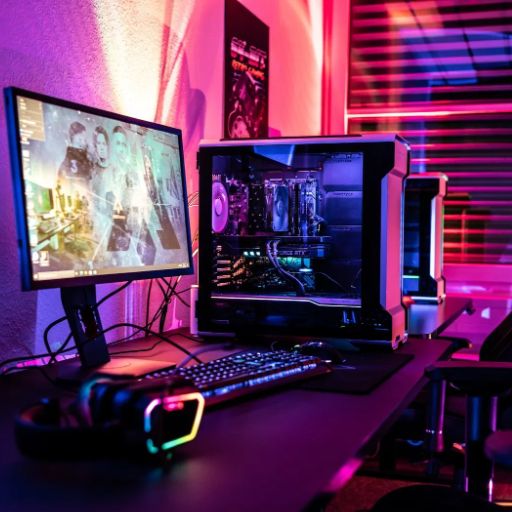
Typically, entry-level gaming PCs draw 2 to 3 amps during regular use. It is assumed that the setup does not exceed a low or mid-tier GPU, a standard CPU, and minimal accessories. Peak power demand set during heavy gaming or processing activities may cause a slight rise in the drag, but only marginally within the considered range. For calculation details, the wattage requirements of all components should be verified.
Typical Amps for Different Gaming PC Setups
A gaming PC typically uses between 3 and 13 amps, depending on factors like its power supply, components, and usage intensity.
|
Setup Type |
Typical Amps |
PSU Rating |
Components |
Usage Level |
|---|---|---|---|---|
|
Entry-Level PC |
3-5 |
300-500W |
Basic |
Low |
|
Mid-Range PC |
5-8 |
500-750W |
Moderate |
Medium |
|
High-End PC |
8-12 |
750-1000W |
Advanced |
High |
|
Enthusiast PC |
10-13 |
1000W+ |
Extreme |
Very High |
This table provides a quick overview of the expected amperage for various gaming PC setups, helping users estimate their power needs effectively.
Mid-Range Gaming PC Amp Usage
A mid-range gaming PC typically draws power between 5 and 8 amps, depending on its specifications and the intensity of use. Most of these systems come with a PSU capable of 500 to 750W, which provides ample power for the components required by modern games: a mid-range graphics card, a multi-threaded CPU, and some SSD storage.
Specifically, the combination of an RTX 3060 GPU and an AMD Ryzen 5 5600X CPU with 16GB of RAM can draw a peak power of around 350 to 450 watts. Chambered in amperage relative to 120 volts, which is relatively standard in most households, the arrangement would draw around 3 to 4 amps during regular operation and 5 to 6 amps when under full load.
Additional accessories, peripherals, and overclocking would also increase the system’s overall power consumption. Important considerations when choosing a PSU for a mid-range system include ensuring it has sufficient wattage and efficiency to provide the hardware with power while minimizing losses and heat; the 80 PLUS certification generally demonstrates this.
High-End Gaming PCs: Amps and Power Requirements
High-end gaming PCs are designed for supreme performance and typically incorporate the latest computing power, including a high-performance GPU, an overclocked CPU, and a sophisticated cooling system. These systems consume a significant amount of power, typically ranging from 6 to 10 amps regularly, and can exceed 12 amps during workload peaks, depending on the hardware configuration.
The GPU is the most power-consuming piece of hardware and may consume anywhere from 250W to over 450W in the case of flagship cards, such as the NVIDIA RTX 4090 or AMD RX 7900 XTX, which is equivalent to a draw of approximately 3.5 to 5.0 amps on a 120V circuit. Overclocked processors such as the Intel Core i9-13900K or AMD Ryzen 9 7950X can draw 250W or more at roughly two amps. Storage devices, cooling systems, and RGB lighting, along with all the peripherals, will gradually increase power consumption.
This generation being highly demanding, PSUs of 850W or greater power are usually required in high-end gaming PCs. Some go for wattages of 1000-1200 W to be on the safe side and for future-proofing. A PSU with a high-efficiency certification, such as 80 PLUS Gold, Platinum, or Titanium, eliminates electricity wastage as heat and ensures high, uninterrupted reliability. Knowing how to calculate watts correctly and amperage values helps avoid circuit overloading, thereby guaranteeing system reliability and electrical safety.
Optimizing Your Gaming PC’s Amp Usage
To maximize the amps usage by a gaming PC, improve power efficiency by choosing components that require less electricity without compromising on performance. Opt for a high-quality power supply with an 80 PLUS efficiency rating to conserve energy and reduce waste. Monitor the power draw of the PC system and avoid overclocking unless necessary, as this operation requires more electrical power and generates additional heat. Regularly check and clean your PC to prevent dust accumulation, which can otherwise interfere with cooling and, consequently, reduce power efficiency. Unplug any peripherals you don’t need and enable power-saving modes when the PC is idle.
Upgrading Components for Better Efficiency
Upgrading your PC can significantly improve its performance and energy efficiency. One significant upgrade comes with migrating to an SSD, which replaces an HDD. SSDs consume less power: around 2-3 watts, whereas a typical hard drive might suck up to 6-7 watts, ensuring faster data access and system responsiveness. Another option has been to invest in new processors and graphics cards designed with newer fabrication nodes (such as 5nm or 7nm) for increased energy efficiency compared to older components. Modern GPUs from NVIDIA or AMD, for instance, use state-of-the-art power-saving methods and better power-performance metrics, so that they do more for you while consuming even less energy.
Another worthy upgrade is to consider energy-efficient RAMs, such as DDR5, which operate at reduced voltages while maintaining higher bandwidth, thereby efficiently utilizing power during actual usage. Upgrading cooling to newer models of efficient fans or liquid cooling solutions will also reduce heat generation and, in turn, the energy needed to maintain ambient temperatures. For power supplies, opt for 80 PLUS Platinum or Titanium; these have the highest efficiencies, sometimes exceeding 94%, thereby reducing the actual power wasted. Through the incremental process of upgrading with energy-conscious components, one can achieve a balanced system that is both green and high in performance.
Tips to Reduce Amp Draw and Save on Energy Bills
Upgrade to Energy-Efficient Appliances: Modern appliances with ENERGY STAR labels use significantly less electricity compared to older models. An energy-efficient refrigerator, air conditioner, or dishwasher will draw less yet perform excellently.
Optimizing Lighting Solutions: Traditional incandescent bulbs are being replaced by LED and CFL energy-saving lamps, respectively. LEDs consume about 75% less energy with a longer lifespan, thereby saving on amp draw and replacement costs.
Use Smart Power Strips: Energy drain, created by the phantom power situation of devices left on standby, contributes unnecessarily to amp draw. Whenever electronics are idle, smart power strips prevent energy waste.
Unplug Devices When Not in Use: Small appliances also contribute to huge energy bills. So, turning them off is not only good at reducing amp draw, but it also protects the gadgets from getting damaged.
Invest in a Smart Thermostat: Smart thermostats are designed to learn your habits and optimize heating and cooling schedules to reduce energy usage. During unoccupied periods, temperatures can be set to minimize amp draw while still maintaining comfort.
Reschedule Usage of Big Appliances: Washers, dryers, and dishwashers are often operated during off-peak hours, allowing them to be drip-fed with energy and thereby reducing the home’s peak energy usage, potentially saving costs in areas with time-of-use electricity rates.
Maintain the HVAC System: Clean filters and do regular maintenance to ensure your heating, ventilation, and air conditioning systems work efficiently. Clogged filters make an HVAC system work harder, consuming more amp draw and thus more energy.
Following these practical tips will result in lowering the amp draw and cutting down energy bills, which also makes a household more sustainable.
When to Be Careful with Your Power Supply Unit (PSU)
The Power Supply Unit (PSU) is an essential element in all types of electrical or computer systems, as it regulates and distributes power to all attached components appropriately. Maintaining it well ensures the longevity and protection of devices. The following are critical conditions that need utmost care for the PSU:
Overloading the PSU: Each PSU is rated in wattage, which is the maximum wattage it can safely deliver. The PSU, when unplanned acts with components that demand excessive power, needlessly draws on its power store, causing it to overheat, which may eventually lead to its malfunction. For example, a high-end GPU such as NVIDIA RTX 4090 may require over 450 watts when under load; thus, the PSU for it needs to be rated at least 850 watts or even more to withstand such conditions without getting overloaded.
Undersizing and Using Cheap PSUs: A poorly rated or improperly functioning PSU can cause unstable power delivery, which may compromise components sensitive to power fluctuations. PSUs that earn an 80 PLUS certification in categories like Gold or Platinum are more efficient and reliable. For example, a Platinum PSU will be rated at over 89 percent efficiency in various load conditions, thereby providing stable performance and minimal energy waste.
Surge Protection and Power Outages: Sudden power surges or outages can wreak havoc upon a PSU and the system in question. Therefore, a worthy investment could be a surge protector or a UPS that would protect your PSU from voltage surges. Additionally, UPS safeguards are in place during an outage to allow for safe shutdowns of components, preventing sudden power loss.
Environmental Factors: Hot weather, heavy dust, and poor ventilation pose significant dangers for PSU overheating and its decreased efficiency. If this were the environment, it would remain clean and calm, and they may never have to be worried about thermal stresses. Studies have shown that a PSU’s useful life is significantly reduced when subjected to heat beyond its rated operating temperature range, and this hastens the aging of its internal components.
PSU Cable Management: Improper cable management can cause accidental disconnection or a short circuit between the PSU and other equipment. Use removable cables that are well-labeled and ensure they fit tightly to prevent loose connections.
Being overly cautious about these factors will provide you with assurance for the longevity and safety of your PSU. If you maintain the PSU by adhering to proper wattage recommendations and environmental protection guidelines, you will have an efficient and stable power supply system for all your basic appliances.
Common Questions About Amps and Gaming PCs
Depending on components and power consumption, a gaming PC draws an average of 3 to 8 amps while functioning at full load. This equation takes into consideration a standard PSU with an efficiency of 80% or more and a maximum rated power between 400W and 850W. Review your PSU rating and determine the maximum wattage of all items regarding each load. Always ensure that your wiring circuit can safely support the load.
How Many Amps Does a Computer Use?
Depending on the power supply unit (PSU), the installed components, and the intensity at which the system is running, a computer draws various amounts of amperage. Typically, a basic desktop computer with a basic office scenario requires a maximum of approximately 1 to 2 amps, provided it has a 120V power supply. However, gaming PCs might draw more electricity. More powerful GPUs and CPUs, therefore, draw an additional 3 to 8 amps under heavy-load conditions, along with cooling options. High-end workstations may draw the most current load from their applications for 3D rendering and video editing, approaching nearly 10 amps.
Efficiency must be checked in PSUs. It is beneficial to have one with an 80 Plus Gold certification, as this reduces the waste of input energy during power conversion, thereby enabling a more efficient output through the system. Always check the specifications of the components in your PC and compare them against the circuit capabilities to avoid any overload.
What Should You Be Careful About?
Whenever working on electrical components and assembling a PC, I must monitor the overall power draw of the system to ensure it does not exceed the circuit’s limits. I need to verify the power requirements of all components, check their compatibility with my PSU, and look for energy efficiency ratings. In addition to checking for power strip overloading, I will also ensure proper ventilation to prevent overheating.
Understanding Amp Draw in Gaming Setups
For amp draw in gaming setups, designing systems must ensure the safe and efficient function of the system. To calculate amp draw, divide Watts by Volts. For example, a gaming PC that draws 500 watts and plugs into a standard 120-volt home outlet will, therefore, draw 4.17 amps. This calculation is critical—it helps you determine if your circuit is capable of handling the load, especially when connecting multiple devices.
To set up a modern gaming setup, one usually adds extra devices such as monitors, RGB lighting, external peripherals, and an audio system. The price difference in power consumption between a high-refresh monitor and an RGB lamp can be as much as 50 watts. In contrast, RGB lamps can add anywhere from 10 to 20 watts, depending on the installation intensity. This factor also increases the overall power requirements and amp draw of your system. You want to ensure that your circuit breaker is capable of handling the total amperage, or it may trip or cause damage to your electrical components.
Furthermore, minimizing the amp draw becomes feasible with energy-efficient devices. For instance, high-efficiency power supply units (PSUs) rated 80 PLUS Gold or Platinum can convert power more effectively and consume less overall. Similarly, when you are playing, not requiring much GPU or CPU power, opting for power-consuming ones is a way to reduce amp draw. Devices such as power meters can provide real-time power consumption data for your setup, allowing you to make informed adjustments. Amp draw management will thus help you maintain proper gaming conditions and extend the lifespan of your equipment.
Reference Sources
Frequently Asked Questions (FAQs)
How Many Amps Does a Gaming PC Use?
The amperage a gaming PC uses can vary significantly depending on its components. On average, a gaming PC typically draws between 3 and 5 amps. Higher-end setups, particularly those equipped with powerful graphics cards like the RTX 3080, can use more amperage, especially under load.
What Is the Average Gaming PC Amperage?
The average gaming PC typically operates at around 4 to 6 amps. This range can vary based on the wattage of the power supply unit (PSU) and the specific hardware configuration. A system using a 600-watt PSU will generally have a different amperage draw compared to one with a 400-watt PSU.
How to Calculate the Amps for Your Gaming PC?
To calculate the amps drawn by your gaming PC, use the formula: Amps = Watts ÷ Voltage. For example, if your gaming PC consumes 600 watts and is connected to a 120-volt outlet, the calculation would be 600 / 120 = 5 amps.
What Is the Power Consumption for High-Performance Gaming PCs?
High-performance gaming PCs can consume a significantly higher amount of power than the average. Systems with multiple GPUs or overclocked CPUs can draw up to 1000 watts, translating to higher amp usage. It’s essential to ensure that your electrical setup can handle this load.
How Many Amps Does a Computer Use on Average?
An average computer, not specifically a gaming rig, typically uses around 2 to 3 amps of power. This can vary based on the components and peripherals connected, but the basic desktop setups generally consume less power than gaming PCs.
What Are the Energy Costs Associated with Gaming PC Amperage?
The energy costs for running a gaming PC depend on its amp draw and the time spent in use. For instance, if a gaming PC draws five amps (600 watts) and is used for 5 hours a day, the monthly energy cost can add up significantly. Understanding your power consumption can help you manage your energy bills effectively.
Do You Need to Be Careful with the Amps Drawn by Your Setup?
Yes, you need to be careful with the amps drawn by your gaming PC setup. Exceeding the capacity of your circuit, such as a 20-amp circuit, can lead to tripped breakers or electrical fires. Always ensure your PSU and wiring can handle the total wattage at the voltage.
How Can You Optimize Your Gaming PC for Better Power Efficiency?
To optimize your gaming PC for improved power efficiency, consider upgrading to energy-efficient components, minimizing unnecessary peripherals, and adjusting your graphics settings for reduced power draw during gameplay. Monitoring software can also help track your PC’s power consumption.